The right supplier price
When you place an order, Workspace fills in the price from the price list or the last order and checks for deviations in advance.

Products · Workspace
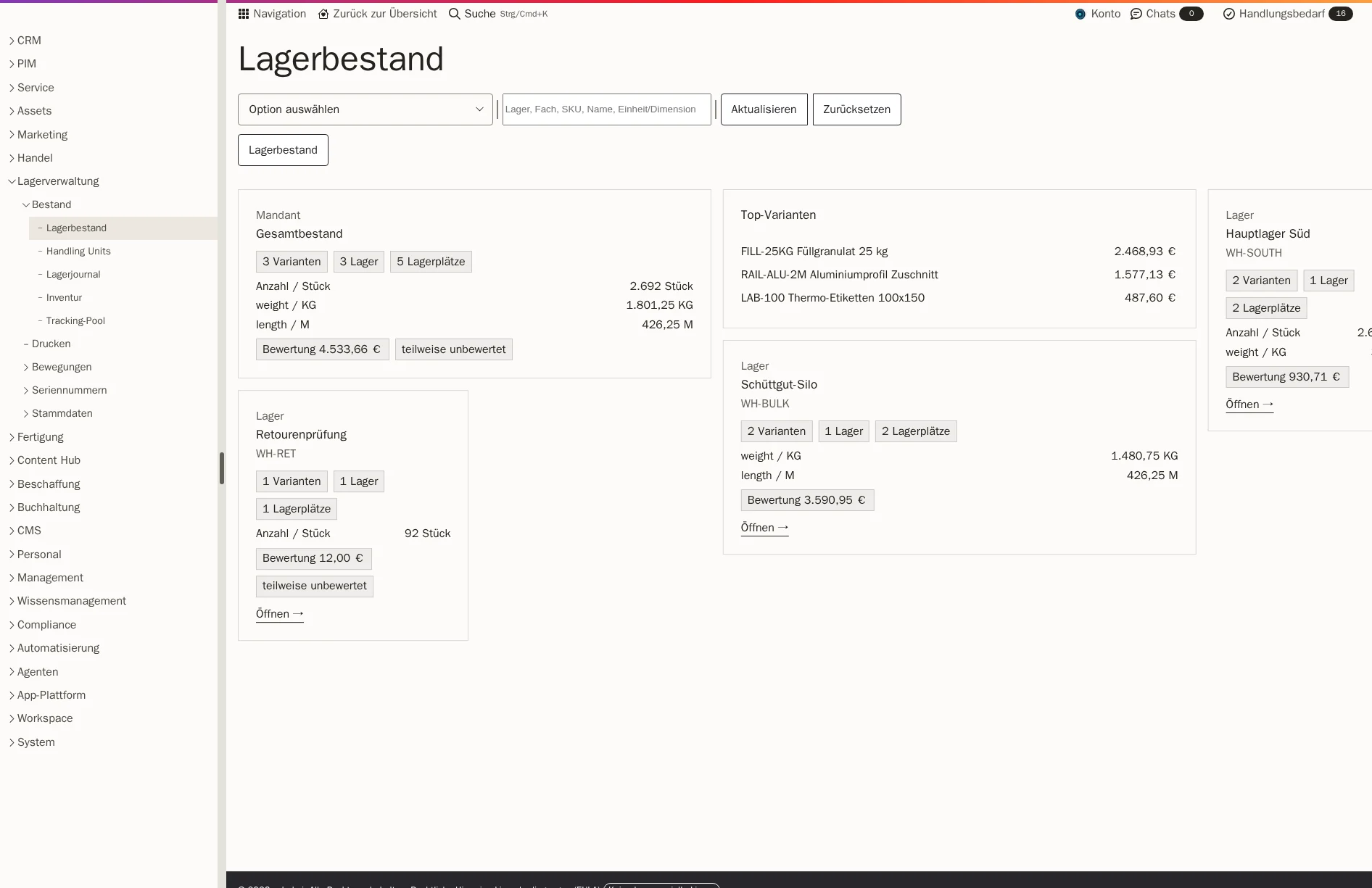
With Workspace, you order from your suppliers at their prices, check each delivery on arrival and see the stock for every storage location. Your team picks with a scanner and creates the parcel label for DHL or DPD from the same shipment. Every movement stays traceable in the stock journal.
When you place an order, Workspace fills in the price from the price list or the last order and checks for deviations in advance.
Your team records accepted and rejected quantities per line, with a reason. Everything is ready for any query with the supplier.
The stock journal records every receipt and issue, and every item has its storage location.
Goods are reserved for customer orders. If not everything is in stock, you ship part of the order, and the remaining quantity stays visible.
You order from the supplier. Workspace fills in the price from their price list or the last order.
The delivery arrives. Your team checks quantity and condition and approves the goods receipt; only then is it posted.
The goods sit in their storage location and are reserved for customer orders. Picking and packing are done with the scanner, and the label for DHL or DPD is created on the shipment.
When goods come back, your team puts the inspected return back into stock.
You maintain prices, tiered prices, supplier item numbers and time-limited prices per supplier and variant.
If a price deviates from the agreed or last paid price by more than a set threshold, the order only goes out after a review.
Each line shows whether the price comes from the price list, the last order or a manual entry.
You create and send the order document from the purchase order.
For each line, you record the quantities delivered, accepted and rejected, as well as goods in quarantine, each with a reason.
On receipt, you record serial numbers, batches and, if required, the expiry date. If a number is missing, nothing is posted.
Before posting, Workspace checks whether the target storage location can still take the quantity, the weight or the pallet.
You manage the main warehouse, returns area or quarantine as separate warehouses, with shelves, pallet spaces or a silo as storage locations inside them.
Every receipt, every transfer and every issue is saved as a posting. Workspace derives the current stock from these.
Goods for an order are reserved and no longer count towards freely available stock.
For putaway, Workspace suggests suitable storage locations. Your team confirms transfers and replenishment by scanning the source and target locations.
If you wish, counting is blind, without the target stock visible. Above a set deviation, a second count is required, and differences are posted with a reason.
The scanner guides you through storage location, item and quantity and reports shortages. You can collect several orders in one round into separate baskets.
At the packing station, weight and packaging are recorded. You then create the parcel label for DHL or DPD.
You draw rooms, restricted areas and shelves in a plan, and Workspace creates the shelf, levels and storage locations in one step.
During goods receipt in Workspace, you record quantities, deviations and reasons on the order. If you also want to document damage with photos, our own app Proofara Receive does exactly that. With it, you photograph damage at the loading dock, mark it in the image and create a report for the supplier or carrier.
Proofara Receive is a separate app. Whether its results should appear directly in Workspace is something we clarify with you, and we set up the connection as a separate project.
The price from the purchase order enters stock with the goods receipt. When the goods are later shipped, this gives the cost of goods for your margin report.
A price change at the supplier therefore does not alter past figures. If a purchase price is missing, the report shows the line as unvalued, and your team sees where it needs to fill in data.
The customer order generates the reservation, shipment, delivery note and invoice.
View orders and documentsYour sales team sees the available stock before confirming an offer.
View sales and customersOrders from your online shop reserve the stock held by the warehouse.
View ShopcloudYou analyse stock movements, cost of goods and margin together with your orders.
View processes and reportsWorkspace covers stock, storage locations, goods receipt, stocktaking, picking and shipping. There is no ready-made connection to automated warehouse technology or a logistics service provider. We assess such a connection as a separate project.
DHL and DPD. If the goods are collected, you complete the shipment without a label. We can connect further carriers for you.
Yes. Each warehouse has its own storage locations, and a shipment belongs to exactly one warehouse.
Yes. You record them at goods receipt and during picking, so it is clear which unit went to which customer.
During implementation, we take over warehouses, storage locations and your current stock as the opening stock. From then on, every movement counts in the stock journal.
We quote the price in an offer, because it depends on the scope, such as the areas used and storage. We will publish fixed prices as soon as they are set.
Show us the route from the order with your supplier to the parcel. In a demo, you will see it in Workspace with sample data, from the price on the order to the label.