The reservation is on record
For every unit it is clear whether your team accepts it, accepts it with reservation or rejects it. With their signature, the driver confirms the condition.

Products · Proofara
Damage that is only noticed days later can hardly be attributed to anyone. With Proofara Receive, your team checks every delivery right at the loading dock: scan, assess the condition, photograph any deviation, record the decision, get a signature. The normal case is done in a few steps. When something is wrong, you have the evidence that suppliers and carriers want to see.
For every unit it is clear whether your team accepts it, accepts it with reservation or rejects it. With their signature, the driver confirms the condition.
Proofara assigns every finding to the transport unit concerned. Overview photos show the context, detail photos the exact spot.
Completing the check produces the full report. The supplier or carrier receives a damage notice with exactly the photos they need.
If damage is only noticed on opening, a further check is added. That way you can see what was known and when.
Scan a barcode or QR code, photograph the number on the delivery note or enter it by hand. If no number can be recognised, your team simply carries on.
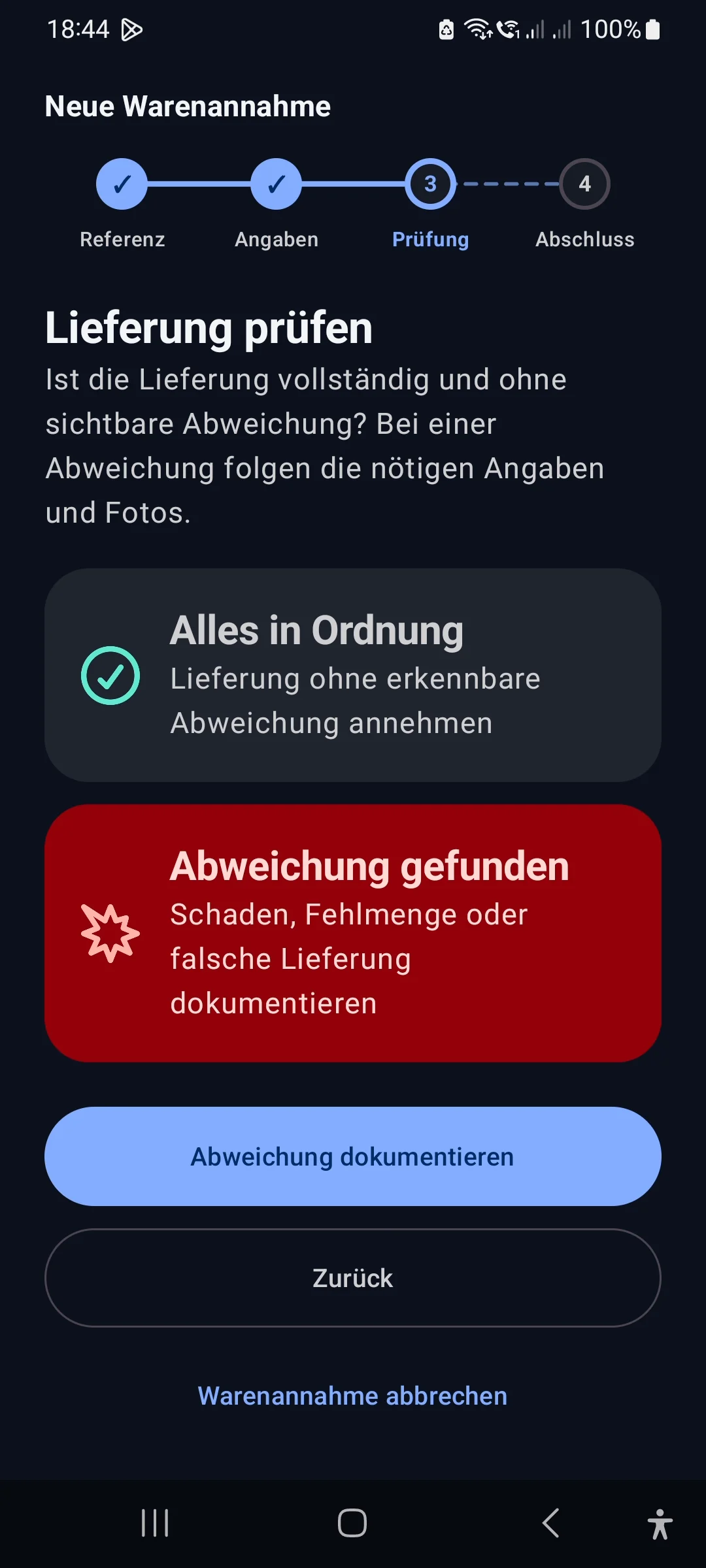
If everything is in order, your employee confirms the condition and acceptance for pallets, crates or boxes and completes the check. Additional details only appear when the delivery needs them.
Damage, shortfall, wrong delivery or suspicious packaging: Proofara assigns the finding to the transport unit concerned. Overview photos show the context, detail photos the exact spot.
Accepted, accepted with reservation or rejected: for every unit it is clear what your team decided.
With their signature, the driver confirms that they have seen the documented condition. If they refuse or have already left, Proofara records this neutrally.
A complete report is created for your internal review. For the supplier or carrier, you choose a damage notice with exactly the photos they need.
Scan, photograph or type in the delivery reference.
Assess the condition of the pallets, crates or boxes and take photos if needed.
Record the decision for each unit and have the driver sign.
Complete the check and pass on the report or the damage notice.
Markings are made on a separate working copy. The captured photo remains unchanged.
If your team only discovers damage on opening, a further check is added. The original completion remains in place, and you can see what was known and when.
Drafts are kept on the device, even after a restart.
An encrypted export keeps original photos and additions together with the report.
On an Android device, you start without an account, sync or integration.
End-to-end encrypted sync and the web app bring all devices up to date.
Proofara adds the evidence from the loading dock to your merchandise management system, warehouse system or Workspace. We set up the integration for you.
The warehouse app of the Proofara family is coming soon: put-away, stocktaking, goods issue and returns on your Android device.
View Proofara StockCheck quantities against the order and post them, with the evidence from Proofara attached.
Document goods receiptReceive and Stock, and how both work together with your warehouse.
View ProofaraNot on a single Android device. For multiple devices and sites, you set up encrypted sync.
Yes. Drafts stay on the device and can be resumed after an interruption.
Proofara records that they refused to sign or had already left. That is part of the evidence, too.
Yes, as an addition to the original receipt. Both states remain visible.
Through an integration with your merchandise management system, your warehouse system or Workspace. We set it up with you.
We will give you the price in an offer tailored to your devices, sites and integration.
Show us how deliveries arrive at your site. We will show you Proofara Receive with sample data and bring it to your loading dock with you.