Stock in motion
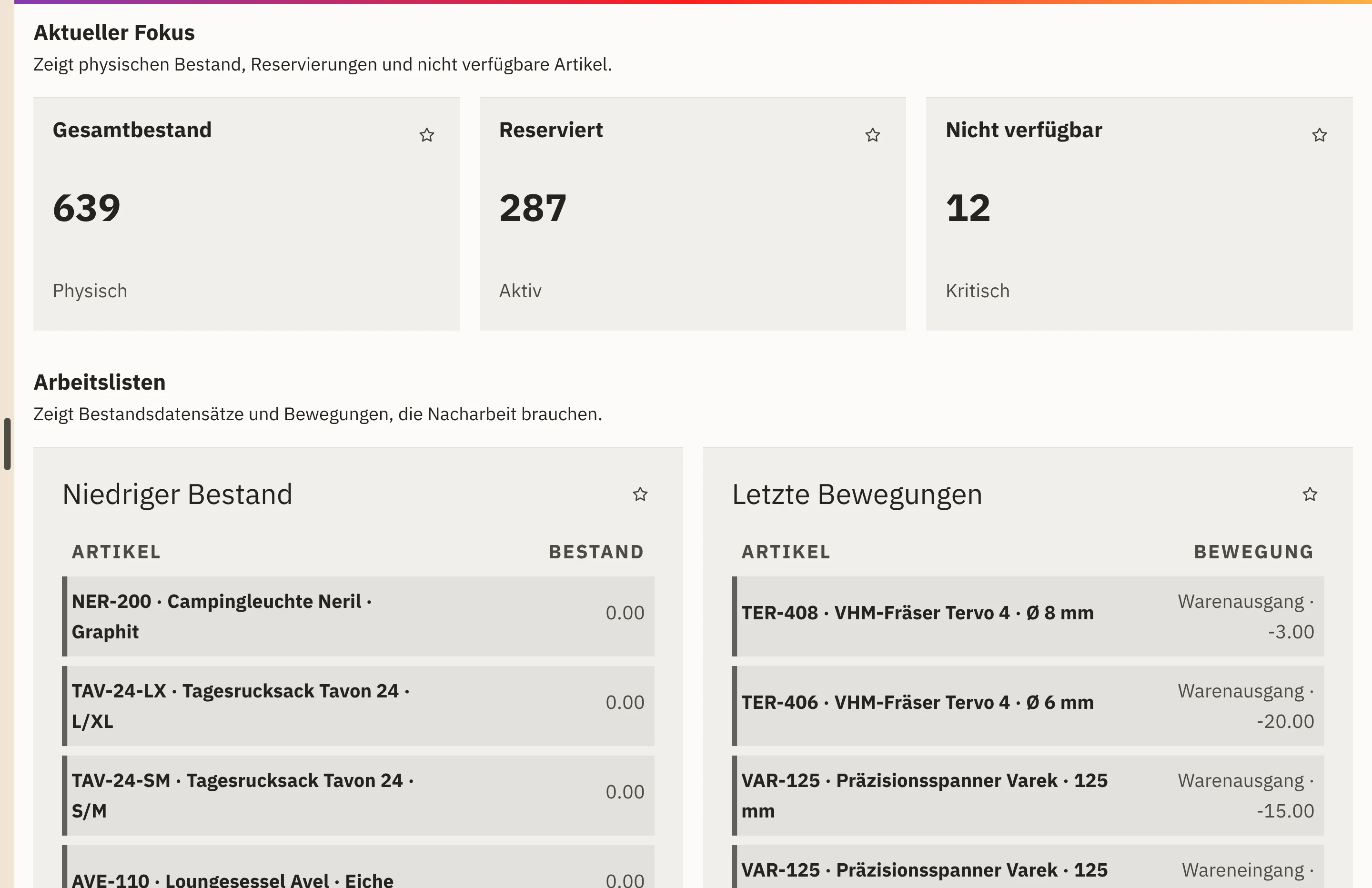
Stock turnover, low stock and dead stock appear side by side in the warehouse management dashboard.

Features · Reports
Workspace shows you how quickly your stock turns over, which items are running low and which goods are sitting idle. In purchasing, you see how punctually and completely your suppliers deliver and how long an order takes to reach goods receipt.
Included in: Workspace
Stock turnover, low stock and dead stock appear side by side in the warehouse management dashboard.
Items below their stock threshold appear in a separate list, so your team can plan replenishment early.
OTIF rate, price variance and lead time show for each supplier how reliably goods arrive.
Warehouse exceptions such as blocked storage locations or pending recounts carry an area of responsibility and the latest decision status.
In warehouse management, you narrow down by period, warehouse and storage location.
Low stock, dead stock and the latest movements show where your team needs to adjust.
In purchasing, you filter by supplier and warehouse and see OTIF rate, price variance and lead time.
Late orders and upcoming deliveries are ready as a worklist.
Outgoing goods in relation to stock for the selected period.
Total stock, reserved units and items without available stock.
Items without recent movement that can tie up stock value.
The OTIF rate for on-time, complete deliveries, the purchase price variance and the lead time from order to goods receipt.
Open and late orders as well as upcoming deliveries per supplier and warehouse.
The warehouse dashboard uses the stock journal, stock aggregates, reservations and current warehouse exceptions. The purchasing figures come from your purchase orders and goods receipts.
Workspace stores how your team decided on a warehouse exception. The stock movement itself stays as it is until your team corrects it deliberately.
Goods receipt, putaway and picking supply the movements for your warehouse key figures.
View warehouse processesPurchase orders and goods receipts form the basis for OTIF rate and lead time.
View purchasing processesThe Workspace area for purchasing and warehouse brings together stock, purchase orders and suppliers.
View purchasing and warehouseYes. You can narrow the warehouse dashboard down to one warehouse and one storage location, and the purchasing figures to supplier and warehouse.
OTIF stands for “On Time In Full”: the share of deliveries that arrive on time and complete.
Today and the last 7, 30 or 90 days.
We give you the price in an offer, because it depends on the scope, such as the areas used and the storage. We will publish fixed prices once they are set.
In a demo, we show you warehouse and purchasing key figures in Workspace. Together, we work out which values your team wants to see every morning.