
// red-table: terminal image browser
Thousands of images in your terminal, smooth on the keyboard
red-table shows large image collections as a searchable grid, right in your terminal. You drive everything with the keyboard, with arrow keys or h j k l. Built in Rust, open under MIT.
- licenseMIT
- langrust
- buildnix
- graphicskitty · sixel · iterm2
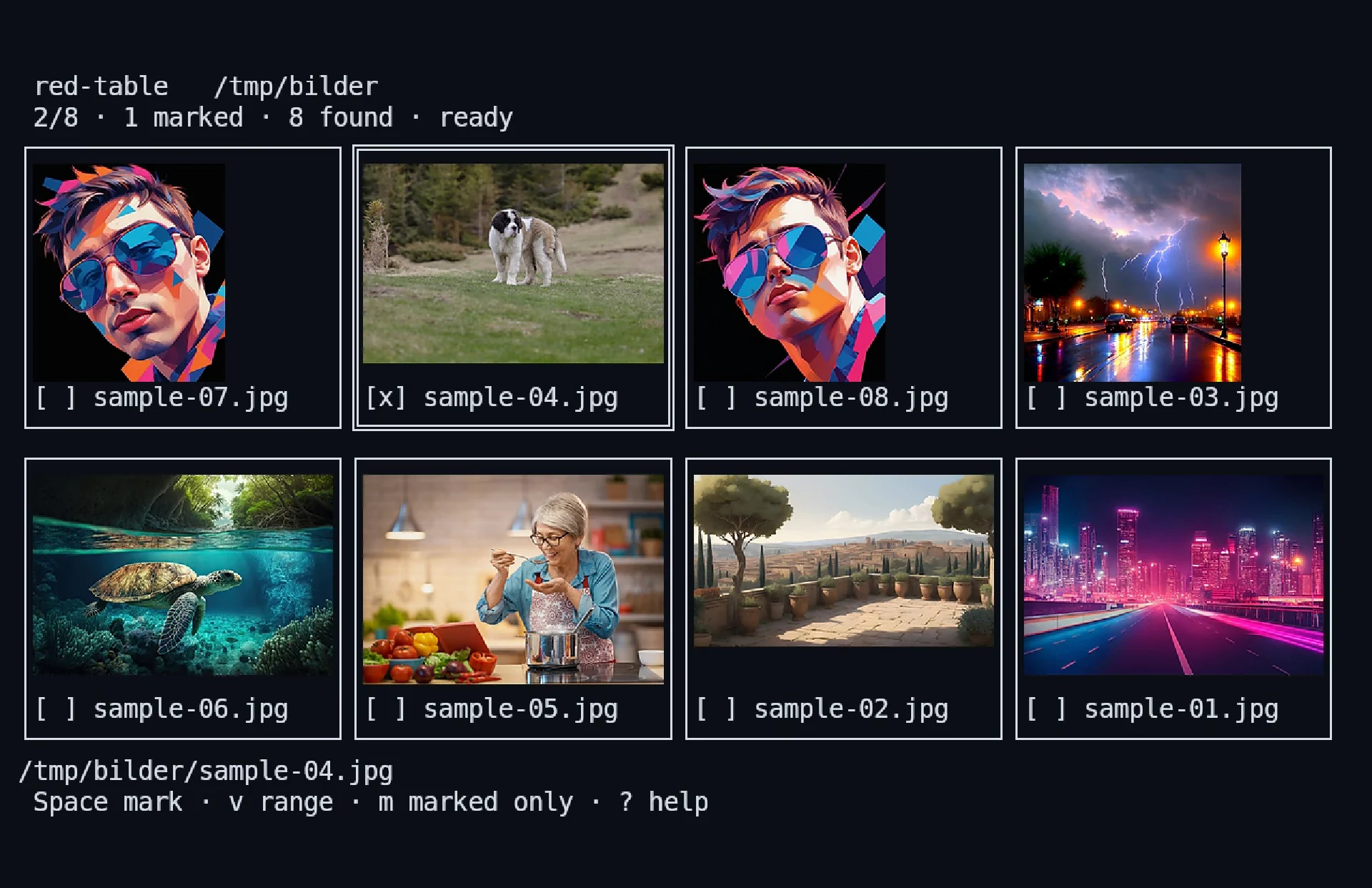
Cheat sheet
Press ? at any time and red-table shows help for the active key bindings. The key ones:
- hjkl
- move selection
- Enter
- show image full size
- Esc
- back to exactly where you were in the grid
- /
- search file names and paths
- c
- A/B comparison with the reference
- z
- fit or exactly 100 %
- Space
- mark image
- Ctrls
- confirm selection
- q
- quit
What red-table can do
A grid for large collections
Folders are scanned recursively: JPEG, PNG, GIF, WebP, TIFF and BMP. Only what’s currently visible gets decoded, plus one row ahead.
Full view with zoom
Enter opens an image full size, with zoom from 25 to 800 per cent. Escape takes you back to exactly the same spot in the grid.
A/B comparison
The reference stays put on the left while you flip through the candidates on the right. Zoom and crop can be linked if you like.
Visual file filter
Marked paths go to standard output. That turns red-table into a filter for scripts, for your shell with Alti and for the Yazi file manager.
Fast, even with lots of images
Scanning, thumbnails, search and input run independently of each other, and memory stays bounded. On Linux, thumbnails go into the shared thumbnail cache.
Any terminal
Kitty, Sixel or iTerm2 graphics give you the sharpest rendering. Any other terminal shows the images with half blocks, and red-table runs in tmux too.
Screenshots
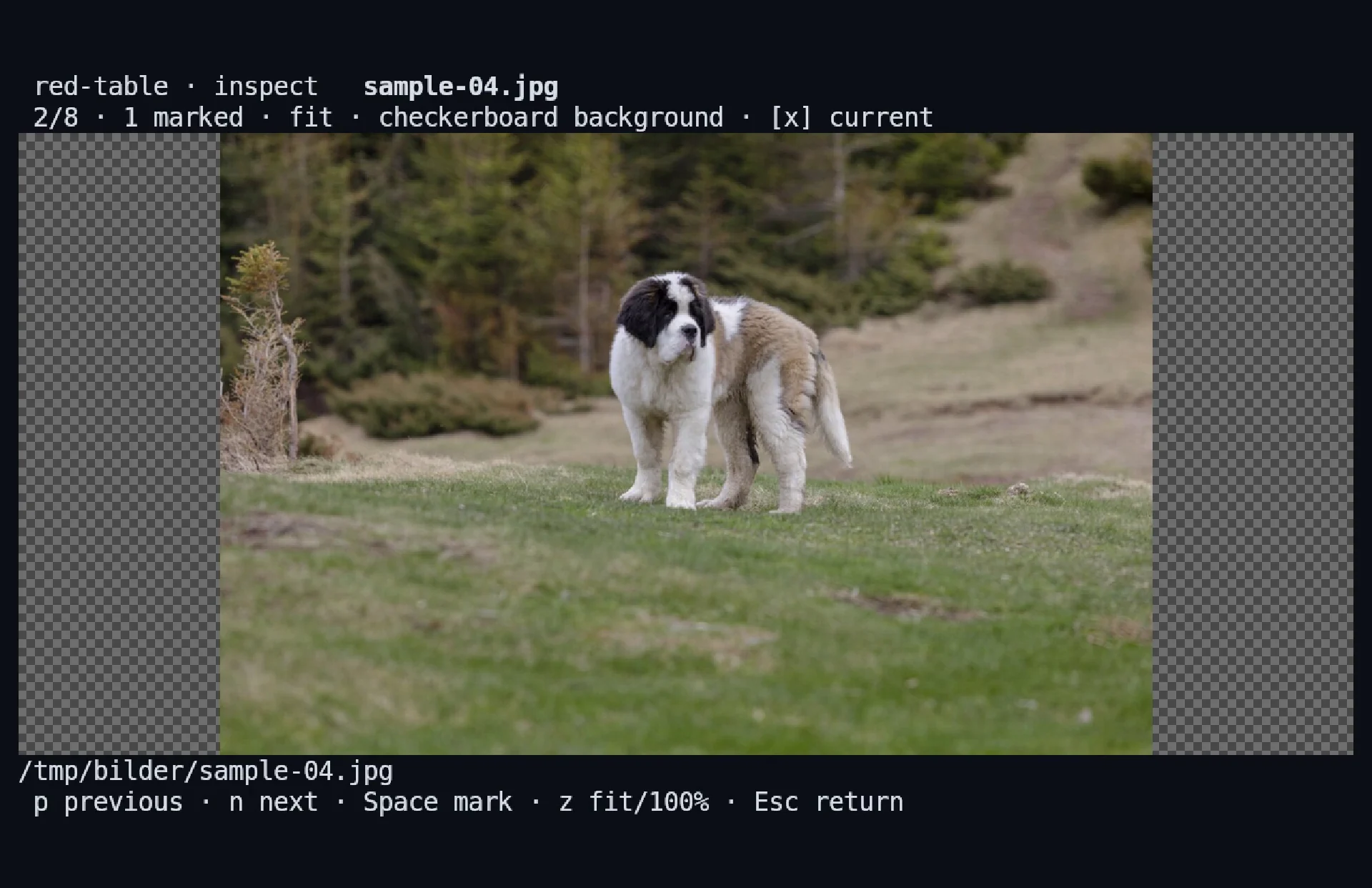
One image fills the terminal, while the status line and key hints stay visible.
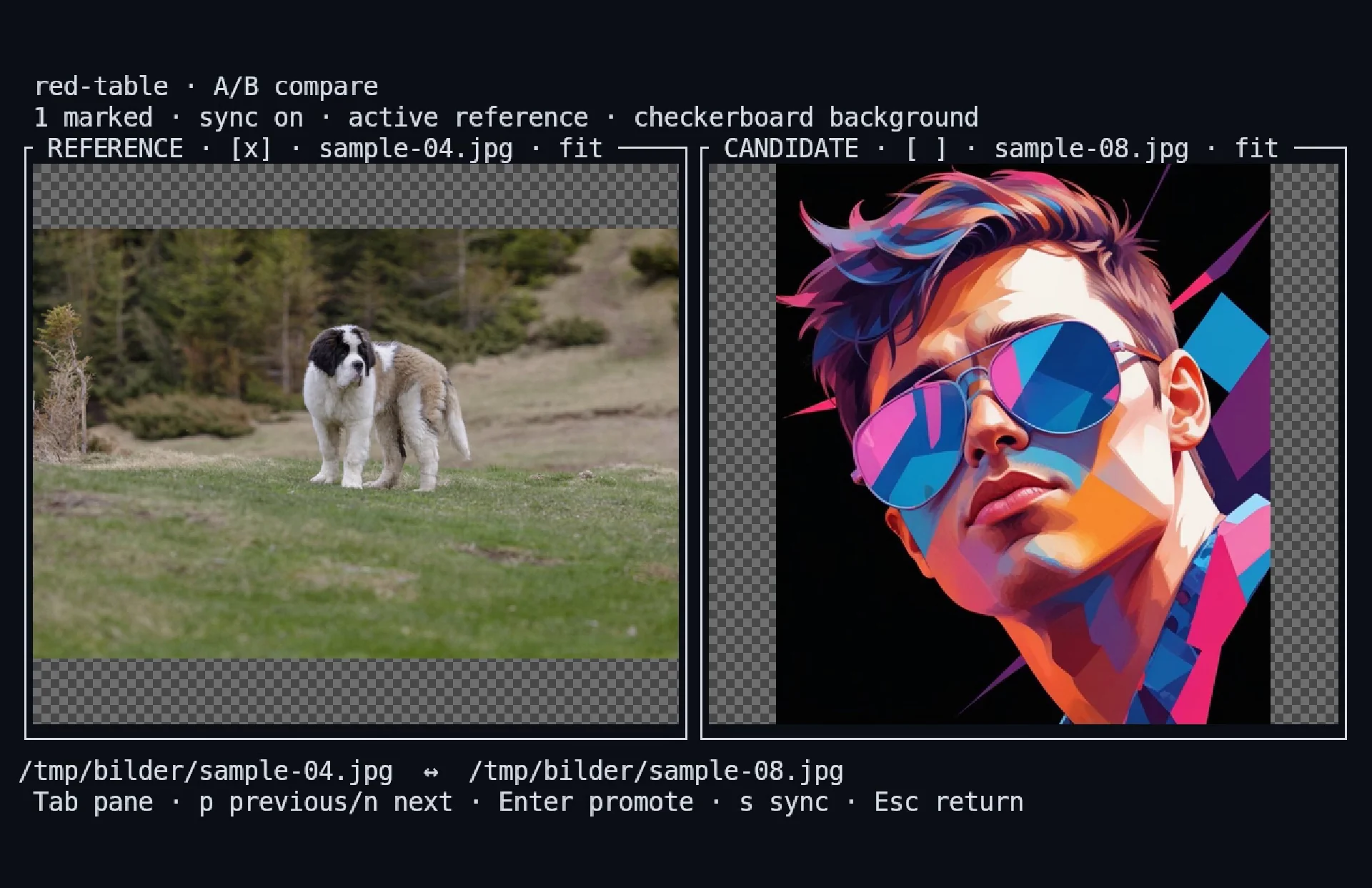
Reference on the left, candidate on the right, with linked zoom.
Quickstart
- Clone the repository and build red-table reproducibly with Nix.
- Start red-table with a folder full of images.
- Move through the grid with the keyboard and open an image full size.
- Mark what you want to keep and pass the paths on to your script.
$ nix build
$ nix run . -- /pfad/zu/bildern

# Auswahl als NUL-getrennte Pfade, passend für xargs -0
$ nix run . -- --select --print0 /pfad/zu/bildern > auswahl.paths0# nach compinit
eval "$(red-table shell-init zsh)"FAQ
What licence is red-table under?
The MIT licence. You’re free to use, modify and share it.
How do I install red-table?
From source with Nix: nix build builds the program reproducibly, nix run starts it straight away. Everything else is in the repository.
Why does schukai build something like this?
red-table is small, but it shows how we work: fast, properly tested, traceably built and published in the open. We bring the same care to the software we build for businesses.
Need a tool made for exactly the work you do?
Tell us where things get stuck today. We build software that’s fast and fun to use, from a small tool to a full application.