Customer prices available at any time
After signing in, every business customer sees the prices from their price list, with quantity breaks and net prices if required.

Features · Sales
“What does this item cost us?” and “Where is our order?” In the B2B customer portal, your business customers find the answers themselves. They see their prices, track their orders and reorder in one click. Your sales team has time again for advice and new customers.
After signing in, every business customer sees the prices from their price list, with quantity breaks and net prices if required.
Everyone signs in with their own account and their own role, so you can always see who placed an order.
Your customers see each of their orders with its processing status and all line items.
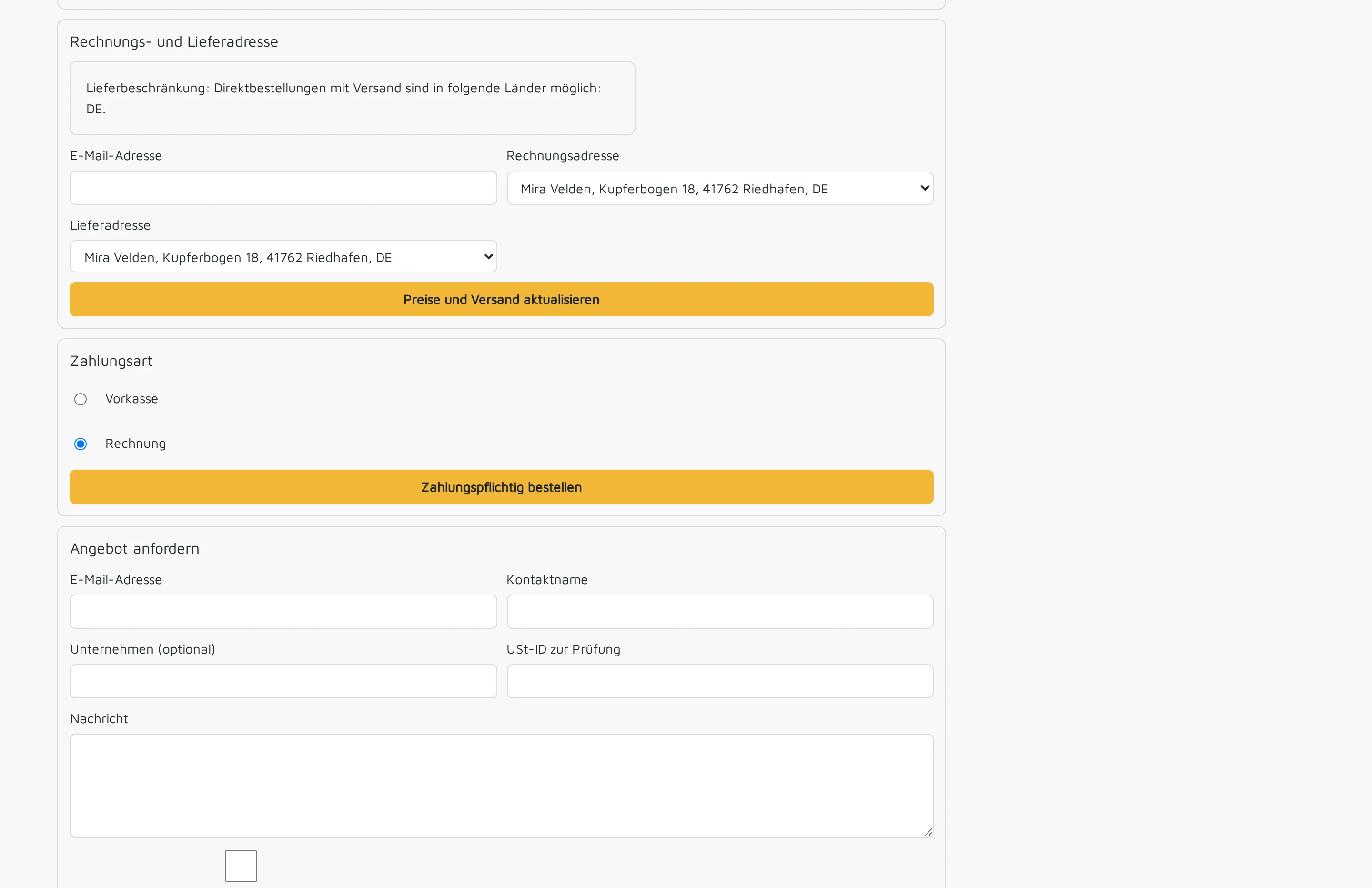
You decide which delivery addresses a company and each individual person may use.
Previous orders and frequently purchased items are ready for the next purchase.
Approved business customers pay on account, with their agreed payment terms.
If an order is better suited to a quotation, the customer requests it directly from the basket.
You assign your customer’s company to a customer group. The customer group determines its price list.
Each of your customer’s employees receives a personal invitation and signs in with their own account.
For each person, you define their role and permitted delivery addresses.
Your customer places an order. It arrives in your order processing with the customer’s prices.
Everyone signs in with their own account and acts on behalf of their company. You can always see who placed an order.
One employee orders as a buyer, another only looks on as a viewer. Your customer’s company administrator also maintains their company’s lists.
If someone leaves your customer’s company, you revoke exactly that one account. Everyone else carries on as before.
You maintain quantity breaks and terms in one place in the price list. The portal shows each customer what applies to them, and the order takes over exactly those prices.
Private customers see gross prices, signed-in business customers their net prices. You maintain a single product range.
We discuss with you which customers use the portal first, which price lists apply and which delivery addresses are permitted. We then set up customer groups, price lists and accounts and support the first invitations to your customers.
The portal is the signed-in area of your shop. Private customers buy in the same shop.
View the online shopPrice lists, quantity breaks and customer groups apply in the portal just as in the quotation.
View prices and quotationsYour team takes every portal order through to delivery and invoice.
View order processingEach with their own account, via a personal invitation. That way, it stays visible who ordered what.
The prices from the price list that belongs to their company’s customer group, with all quantity breaks.
Yes. Approved business customers order on account with their agreed payment terms.
Yes. Private customers buy as a guest or with an account, business customers through their company account.
Your customer prices, purchase on account and every order arriving directly in your order processing. The customer portal provides all of this, plus separate accounts for your customers’ employees and approved delivery addresses.
The customer portal is part of Shopcloud. If you work with Shopware today, we check during the project whether we connect your shop or support the switch.
We give you the price in an offer, because it depends on the scope of your shop and the set-up.
Tell us which questions about prices and order status your team answers regularly. In a demo, we show you how your customers resolve them themselves in the portal.