Available stock you can rely on
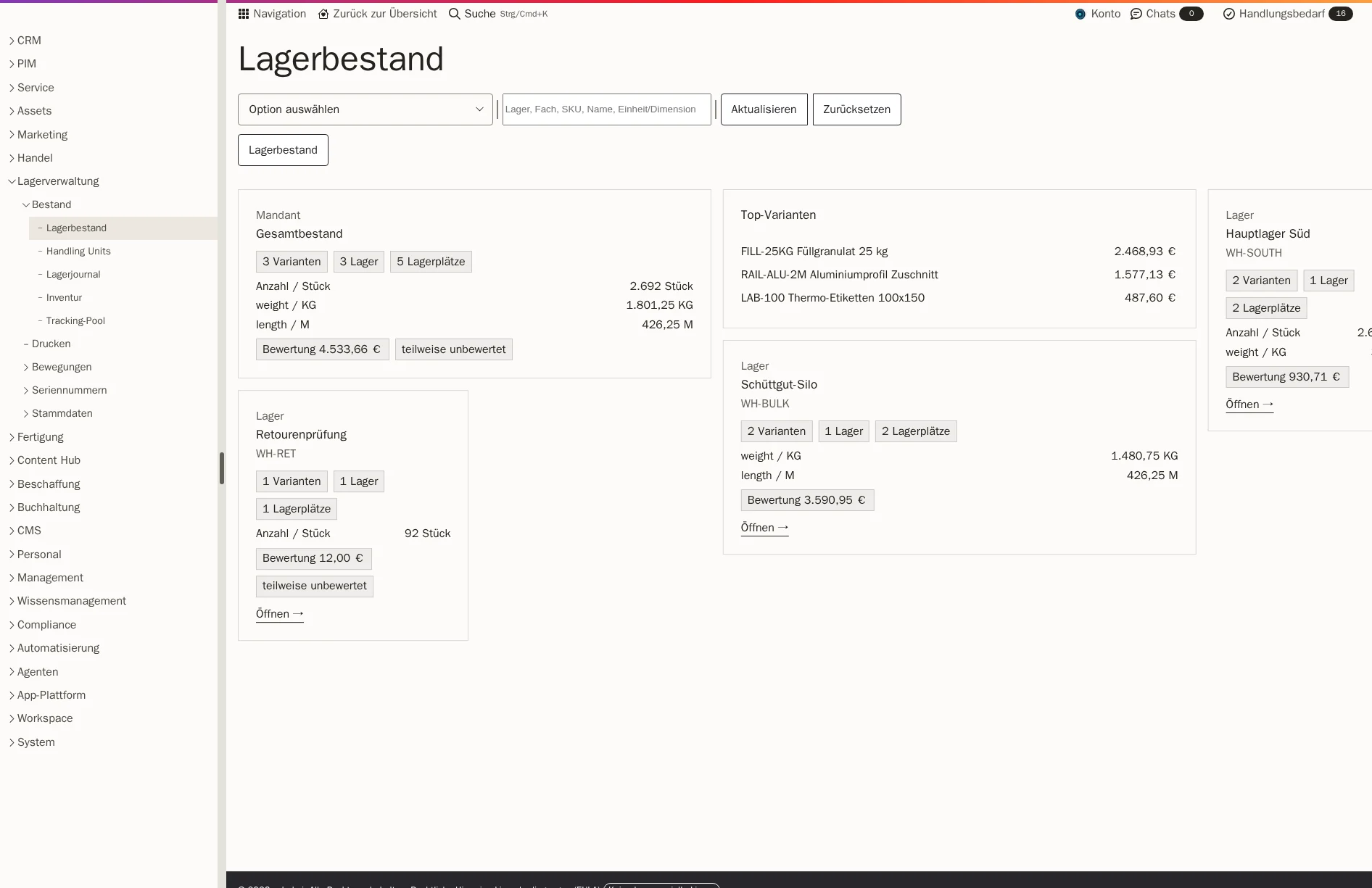
Reserved goods no longer count as available stock. Before your sales team makes a commitment, it sees what is really available.

Features · Purchasing & warehouse
What is in the system is also on the shelf. Workspace tracks your stock for every storage location, separates available from reserved goods and explains every movement in the warehouse journal. Your team picks with a scanner, packs at the packing station and counts the stocktake so that discrepancies stand out instead of slipping through.
Included in: Workspace
Reserved goods no longer count as available stock. Before your sales team makes a commitment, it sees what is really available.
Every receipt, every transfer and every issue is a booking with a timestamp and reference. Corrections carry their reason.
The scanner guides through location, item and quantity and records shortfalls with a reason. Your team sees them all together in the warehouse cockpit.
If required, your team counts without the expected stock being visible. Above a defined discrepancy, a second count follows.
The goods arrive at their storage location via the checked goods receipt. Workspace suggests suitable locations for putaway.
A customer order reserves the quantity. It no longer counts as available stock and cannot be promised twice.
The scanner guides through storage location, item and quantity. Your team collects several orders in a single pass into separate baskets.
At the packing station, every line item is confirmed by scan, then the parcel label and delivery note are created. Only the shipping completion books the goods out.
You run your main warehouse, returns area or quarantine as separate warehouses, each with shelves, pallet locations or a silo. Workspace checks capacities for quantity, weight or pallets.
Goods for an order are reserved. Your sales team sees what is really available before making a commitment.
Your team scans the source and target location, and only then is it booked. A wrong scan changes no stock and remains traceable.
The scanner shows location, item and quantity and records shortfalls with a reason. Batch picks with baskets, trolleys and walking sequence make large pick waves predictable.
Confirm line items by EAN or item number, assign serial number or batch, record weight and packaging. Then parcel labels for DHL or DPD, delivery note and shipping completion.
If required, counting is blind, without the expected stock being visible. Above a defined discrepancy, a second count is required, and differences are booked with a reason.
The tracking pool shows for each number whether it is available, reserved, picked or shipped. That way, you know which device went to which customer.
The dashboard shows low stock, stalled reservations, open transfers and shortfalls. Your team decides every exception with a justification.
You draw rooms, restricted areas and shelves in a plan. Workspace creates the shelf, levels and storage locations in one step.
Soon the warehouse will also come to Android devices: with Proofara Stock, your team will put away, transfer, count and pick, each with their next step in view.
Order goods at the agreed price, so that stock is valued at real purchase prices.
View purchasingCheck deliveries, document damage and book only when everything is correct.
View goods receiptParcel labels, delivery notifications and returns on the same order.
View shippingThe whole journey from the order with the supplier to the parcel for your customer.
View areaYes. Each warehouse has its own storage locations and rules. A shipment belongs to exactly one warehouse, so that the goods are taken from where they are reserved.
You narrow down the area, start the count and enter the quantities, blind if required. Notable discrepancies are recounted. On completion, Workspace books the differences with a reason in the warehouse journal.
Yes, from goods receipt through picking to shipping. The tracking pool shows the current status of every number.
During implementation, we transfer warehouses, storage locations and your current stock as opening stock. After that, the warehouse journal explains every movement.
Workspace provides an interface for warehouse events for this. We set up the connection to your system as a separate order.
We give you the price in an offer, because it depends on the scope, such as the areas used and the storage.
Show us your warehouse, from goods receipt to the packing table. In a demo, you see with sample data how Workspace brings together stock, scanner and stocktaking. We set up warehouses, locations and opening stock with you during implementation.