All documents from one order
Order confirmation, delivery note and invoice come from the same order. No more retyping.

Products · Workspace
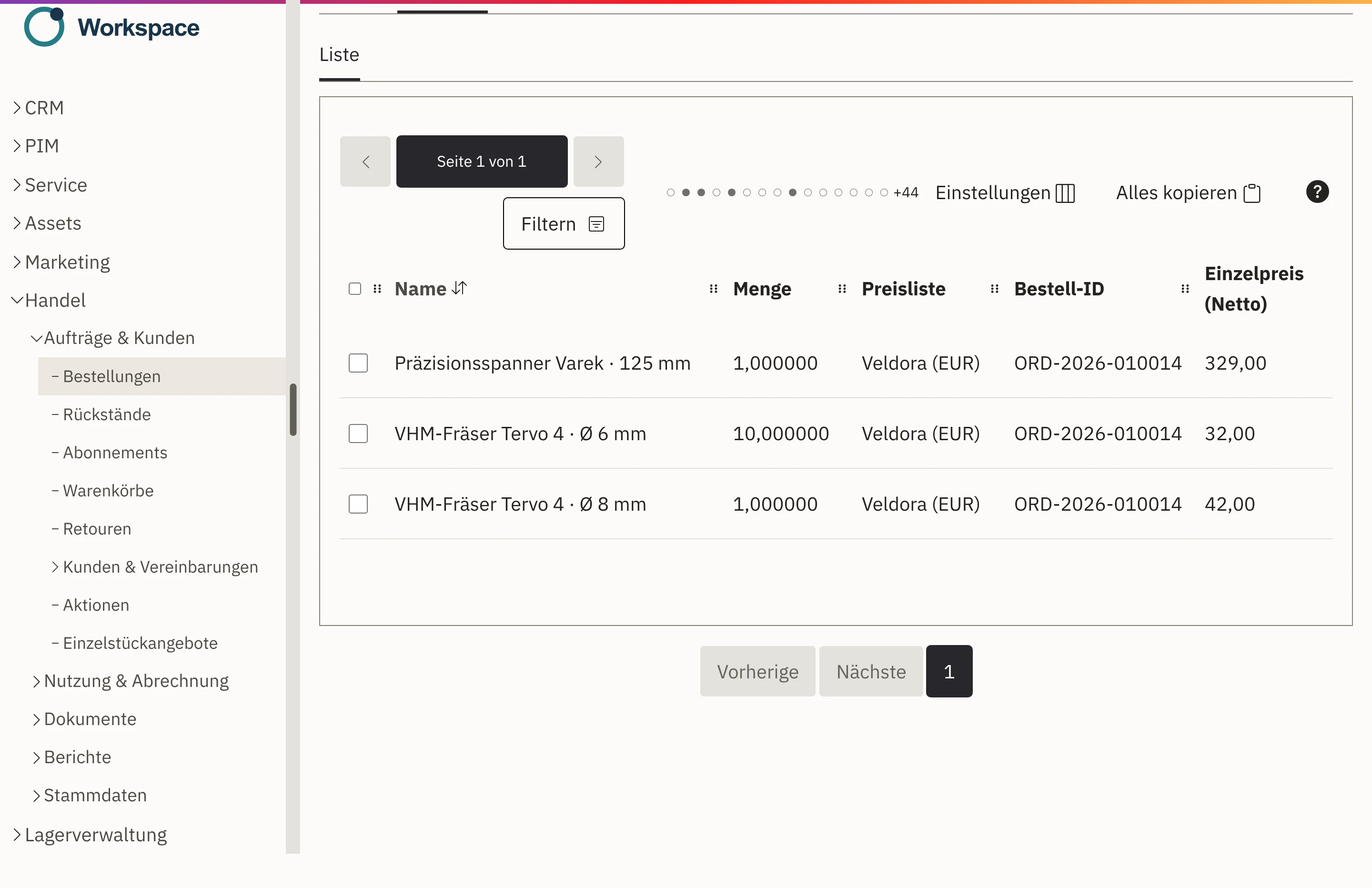
In Workspace, the order confirmation, delivery note, shipping label, invoice and return all come from the same order. Your team can see at any time where an order stands and what needs doing next. When a customer asks, the answer is right there on the case.
Order confirmation, delivery note and invoice come from the same order. No more retyping.
For every order, you see how far along it is and which step comes next.
Prices and taxes are stored with the document and are not silently recalculated later.
Returns and credit notes are attached to the original order. What came back and what was credited stays visible.
An order is created from an accepted quote or from an order in the online shop, with this customer’s prices.
Your team checks and approves it. The customer receives the order confirmation by email.
The warehouse picks and packs. The shipping label for DHL or DPD is created on the shipment, with the delivery note enclosed.
After goods issue, you create the invoice from the order, as an XRechnung if you wish. If goods come back, you record the return against the original order.
Every order shows how far along it is and which step comes next. If something is missing, Workspace names the cause.
It records the status of the order and goes as a PDF to the right contact person. If the order changes afterwards, Workspace flags the outdated version.
If not everything is in stock, you ship part of it first, while the outstanding quantity remains visible on the order.
Delivery notes receive a sequential number that stays the same even if the note is generated again. After goods issue, your customer receives a dispatch notification by email and as a PDF.
Line items, prices and service period come from the order and goods issue. If details are missing, Workspace shows them before the invoice is finalised.
Returns and corrections are attached to the original order. This keeps it traceable what came back and what was credited.
Your customer’s order number appears on the order confirmation, delivery note and invoice. Your business customers’ own item numbers and descriptions can be carried over too.
Workspace comes with templates for ten document types, including quote, order confirmation, delivery note, invoice and return documents. The texts are ready in German and English. You add your logo and your own wording yourself. You maintain further languages on your own; finished documents are produced in a language only once all of its texts are in place.
Each document goes to the responsible contact: the invoice to your customer’s accounts department, the delivery note to their warehouse. The dispatch history shows which document went to whom and when.
With every quote, every order and every invoice, Workspace permanently stores the applicable prices, discounts and tax rates. Workspace does not silently recalculate old documents, even if you change a price list later. The price that applied in spring is still on the document in autumn.
If there is an error in the order, it is not overwritten. You correct it with a cancellation, a credit note or a new order, and the path there stays visible.
Workspace calculates shipping costs according to your rules: by delivery zone and for parcels, pallets, freight forwarding or your own delivery. Special cases that cannot be calculated automatically land with your team as a request.
You create shipping labels for DHL and DPD directly on the shipment. You cancel a faulty label and create it again; every step stays traceable in the history.
Accepted quotes become orders, with the agreed prices.
See sales and customersStock, picking and goods issue run on the same order.
See purchasing and warehouseOrders from your online shop are the same orders your team continues to process.
See ShopcloudCustomer service answers your customers’ recurring questions about delivery on the basis of the order.
See Workspace customer serviceInvoices are created in Workspace; bookkeeping continues with your tax adviser or in your accounting software. We set up the connection to it for you.
You can also create invoices as XRechnung. Workspace checks incoming e-invoices in XML format. Workspace does not currently support ZUGFeRD.
DHL and DPD. For other carriers or a freight forwarder, we assess the connection as a separate order.
Yes. You start with the supplied templates and adapt the logo and texts. We clarify how far a custom layout should go during implementation.
In German and English with supplied texts. For further languages, you maintain the texts yourself.
Workspace marks the existing order confirmation as outdated. You create a new version and send it again.
We quote the price in an offer, because it depends on the scope, such as the areas used and the storage. We will publish fixed prices as soon as they are set.
Show us how an order runs in your company today. In a demo, we show you how order, delivery note and invoice come together in one place in Workspace.