Answers found quickly
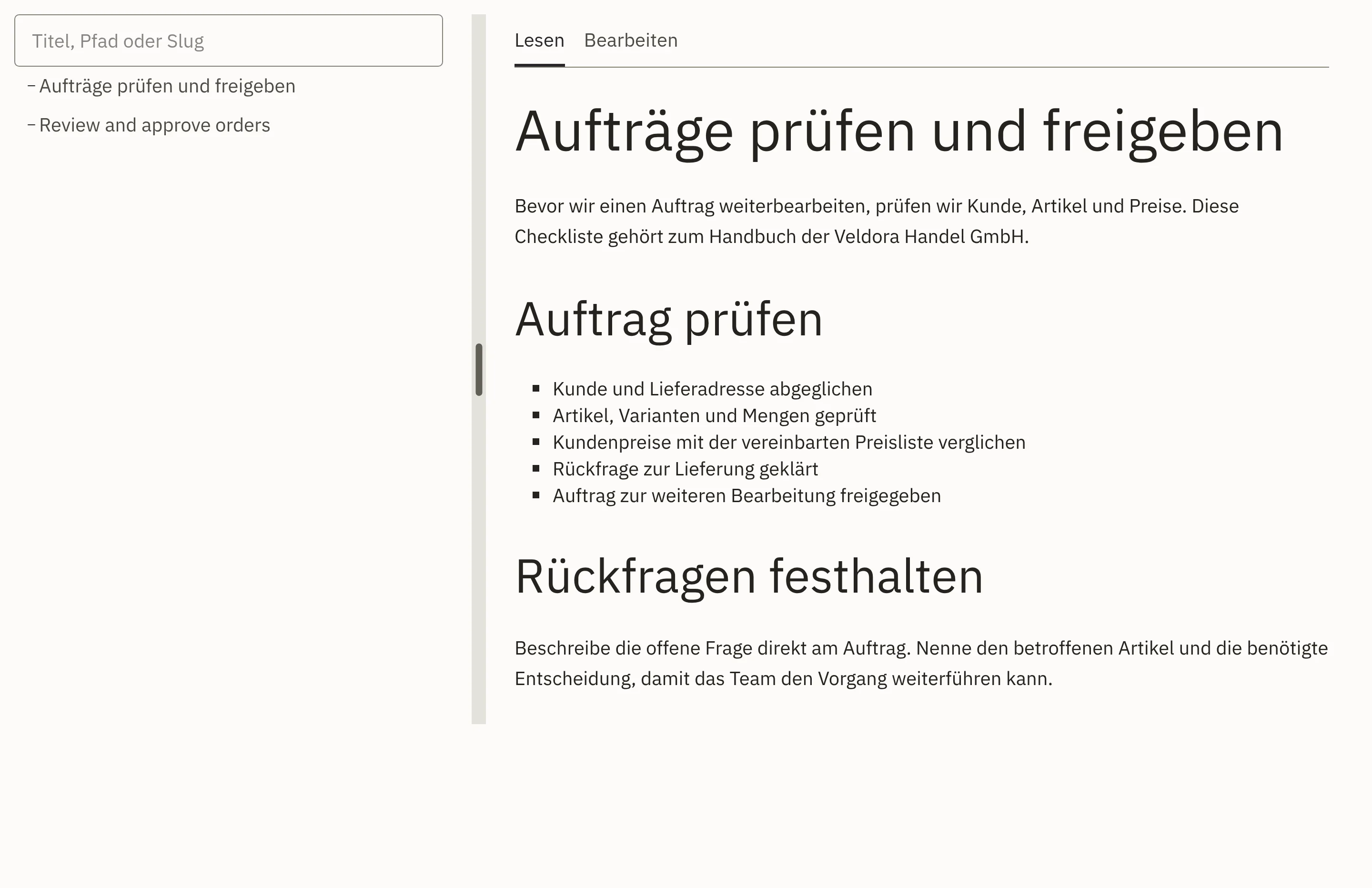
Search covers all wikis. Every result shows the wiki, the page and an excerpt.

Features · Organisation & collaboration
Guides, decisions and good ideas do not belong in inboxes and people’s heads. In Workspace, your team writes them in the wiki, settles questions in the forum and sketches new processes on the whiteboard. All of this lives in the same system as your orders, customers and products.
Included in: Workspace
Search covers all wikis. Every result shows the wiki, the page and an excerpt.
The current guide is in the wiki, where everyone can find it. You tick off checklists directly in reading mode.
Every save creates a new version. In the history, you see how a page has developed.
New colleagues find similar topics in the forum, together with their result. Decisions are recorded there with their reasoning.
Someone asks a question in the forum. Colleagues reply with examples, photos and attachments.
You mark reliable statements as an insight. The source stays linked to the quote.
You record the result and the decision with its reasoning. Anything still to be done becomes a task.
The current guide is then in the wiki, where everyone can find it, with every earlier version.
For reading, a wiki opens with search, page navigation and text. Anyone who wants to add something switches to editing with one click.
Every result shows the wiki, the page and an excerpt. Only pages you are allowed to read are shown.
Every wiki has its own structure and its own home page. As the structure grows, you move pages to their new place.
If you rename a page, links to it remain valid. Backlinks show which pages refer to a page.
You paste an image from the clipboard. Tables get header rows and colours, and you draw processes as a diagram directly in the page.
You tick off check items in reading mode. Hovering over an item shows who ticked it off and when.
Every save creates a new version. In the history, you see how a page has developed.
You define who may read or edit for the wiki and, if needed, for individual pages.
As soon as you type the title, the forum shows similar topics.
You adopt an important statement as an insight. The original quote stays stored, even if the post changes later.
You record separately what came out and what was decided, the decision with its reasoning.
When there are several options, the team votes with single or multiple choice and sees the result as bars.
An open point becomes a task that links back to the discussion.
If you wish, only selected people or groups can see a topic.
For a workshop, a process draft or exam preparation, your team works on a shared canvas. Once the result is settled, it moves into the wiki.
View collaboration and knowledgeCampaigns, product reviews or internal projects move as cards through columns. You link each card to a company, lead, order or product.
View orders and tasksManuals and training materials sit in a shared storage area that the wiki links to. Workspace checks new files before they can be opened.
View collaboration and knowledgeThrough search across all wikis or through the page tree. Every page has a fixed address that you can share as a link.
Yes. You set permissions per wiki, per page and per forum topic, so confidential matters stay within a small circle.
During implementation, we import your most important guides together with you and set up the wikis to match how your team works.
All signed-in employees of your company who are allowed to see the forum. With @, you bring in a specific person.
We give you the price in an offer, because it depends on the scope, for example the areas used and the storage. We will publish fixed prices as soon as they are set.
Name a guide or a question that keeps coming up at your company. In a demo, we show you how your team records it in Workspace, and set up your first wiki with you.