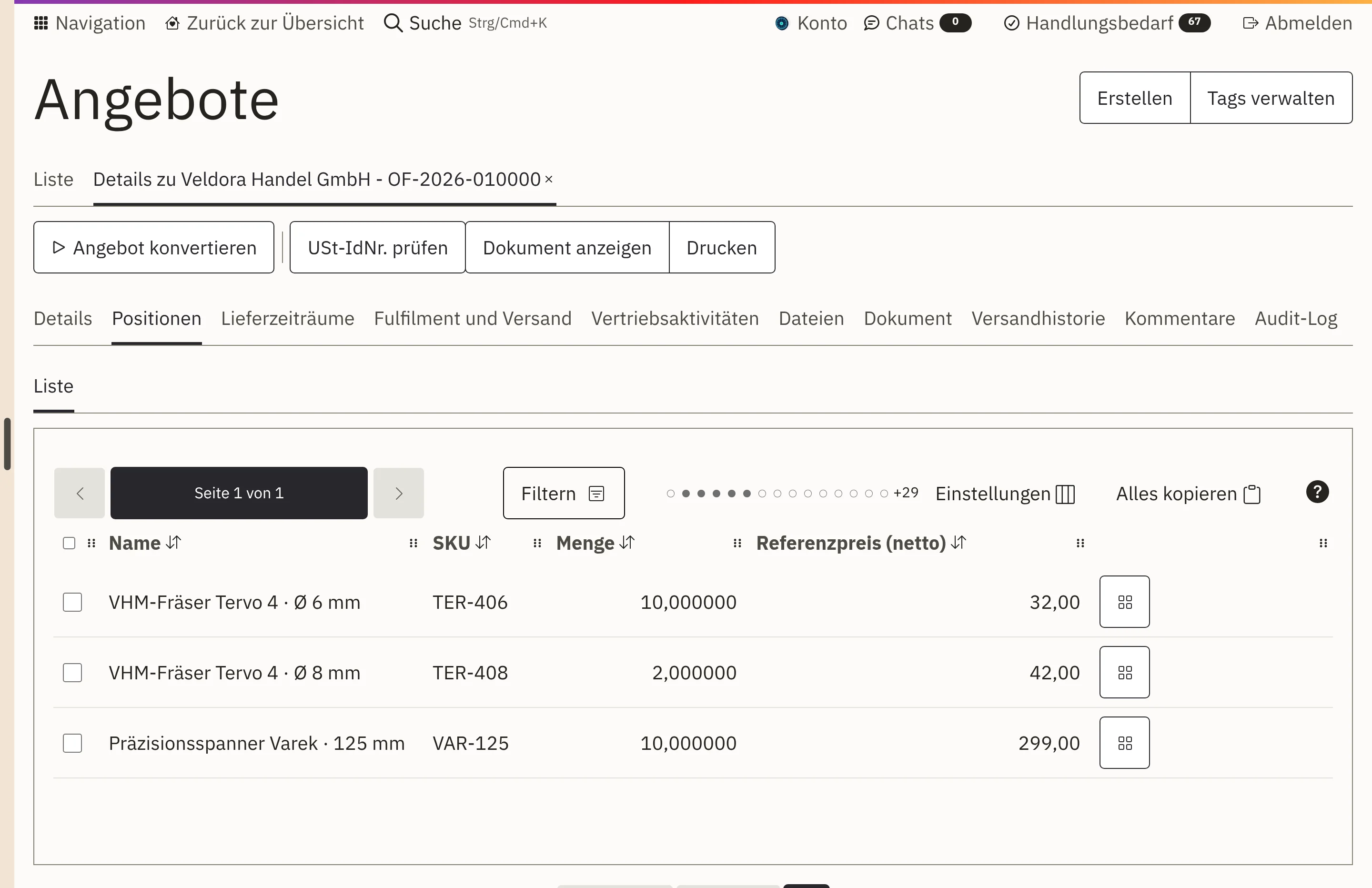
The customer price is set
Workspace inserts the prices from the customer’s price list. You store quantity breaks and special prices there as a rule.

Features · Sales
You maintain your prices once in Workspace, and they apply everywhere: in the quotation, in the order and in the online shop. An enquiry by email becomes a quotation with this customer’s prices in just a few steps. When the customer accepts, it becomes the order, without anyone retyping a single figure.
Workspace inserts the prices from the customer’s price list. You store quantity breaks and special prices there as a rule.
Your price lists apply in quotations, in the customer portal and in the online shop.
The quotation is created from a template with your logo. Workspace suggests the validity date based on your usual quotation period.
When the customer accepts, the quotation becomes the order, with exactly the prices quoted. Their email stays attached to the quotation.
A customer asks for a quotation by email. Straight from the inbox, a sales opportunity and a quotation are created directly on their company.
Your team selects the line items, and Workspace inserts the prices from the customer’s price list.
The quotation goes to the customer as a document with your logo and a validity date, sent from Workspace.
When the customer accepts, the quotation becomes the order, with exactly the prices quoted. The sales opportunity is marked as won.
You maintain separate price lists for resellers, end customers, countries or promotions, net or gross and in the appropriate currency.
You store quantity breaks, annual agreements or special prices for individual ranges as a rule in the price list. For special calculations, we set up the rule together with you.
Workspace calculates the price per litre or kilogram from the variant’s content and displays it in the shop.
If no pricing rule applies, the shop would rather show no price than a wrong one. That way, no accidental list price reaches your customer.
Workspace stores prices, discounts and taxes with the quotation. If you change your price list later, nobody silently recalculates the old quotation. When it becomes an order, Workspace takes over the quoted values, and the invoice shows the same price.
Even months later, you can see which price and which tax rate applied to a document. This helps with customer queries and with every audit.
The quotation document is created from a template with your logo, in German or English. Workspace suggests the validity date based on your usual quotation period, and you adjust it if needed.
If the customer sends their order confirmation by email, you assign the email to the quotation and mark it as accepted. The email stays attached to the quotation, and everyone can see what the acceptance refers to.
In the online shop, your customer requests a quotation from the basket, for example for large quantities or a project. This creates a quotation with the line items from the basket, which your sales team checks and sends.
The quotation sits on the customer record, alongside orders and open cases.
View customers and contactsBusiness customers order for themselves, at the prices from their price list.
View the customer portalIn purchasing, too, prices come from the price list, in this case the supplier’s.
View purchasing and ordersPipeline, contact management and reporting for your entire sales team.
View sales and customersNo. The shop, customer portal and quotations use the same price lists. Anything that should be different in the shop you set up as a separate price list for that sales channel.
Yes. You store quantity breaks, special prices for ranges and annual agreements as rules in the price list. During implementation, we transfer your existing prices and rules.
If the enquiry arrives by email, the opportunity and quotation are created from the inbox in one click. Your team then selects the line items, and Workspace inserts the prices.
We give you the price in an offer, because it depends on the scope, for example the areas used and the storage. We will publish fixed prices once they have been set.
Bring along a typical quotation, with your pricing rules and special cases. In a demo, we show you how it is created in Workspace and how it becomes the order.