Campaigns that pay off
With campaign costs stored, you see the cost per click and the return on your advertising for each campaign.

Features · Reports
The marketing cockpit shows which campaigns bring clicks and orders and what they cost. The newsletter key figures show how your mailings are received. In chat, you see how quickly your team responds.
With campaign costs stored, you see the cost per click and the return on your advertising for each campaign.
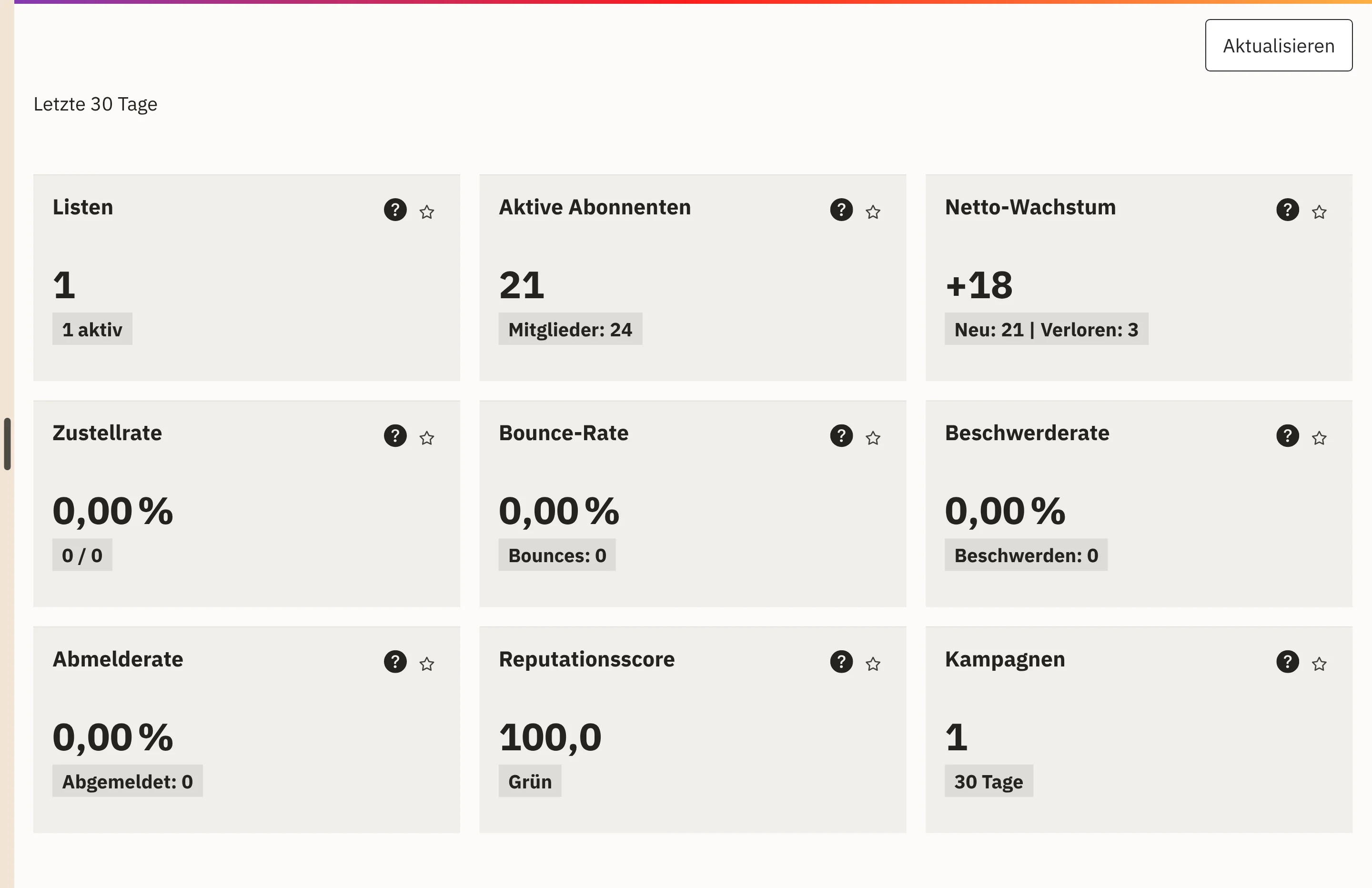
Delivery rate, bounce rate, complaint rate and reputation score show how well your newsletters reach their recipients.
New and lost subscribers add up to net growth. You see your five largest lists at a glance.
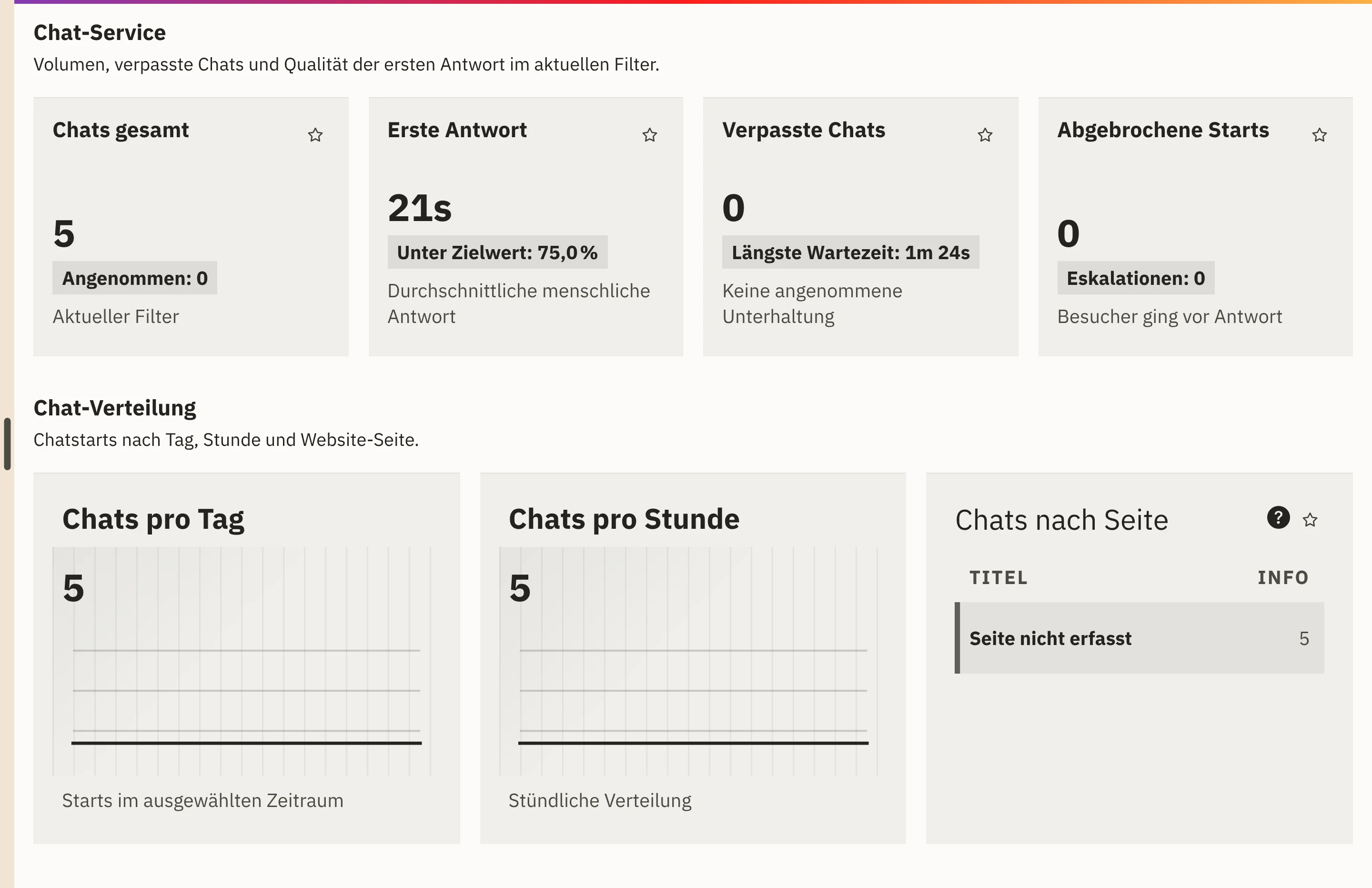
First response, missed chats and abandoned starts show how reachable your team is in chat.
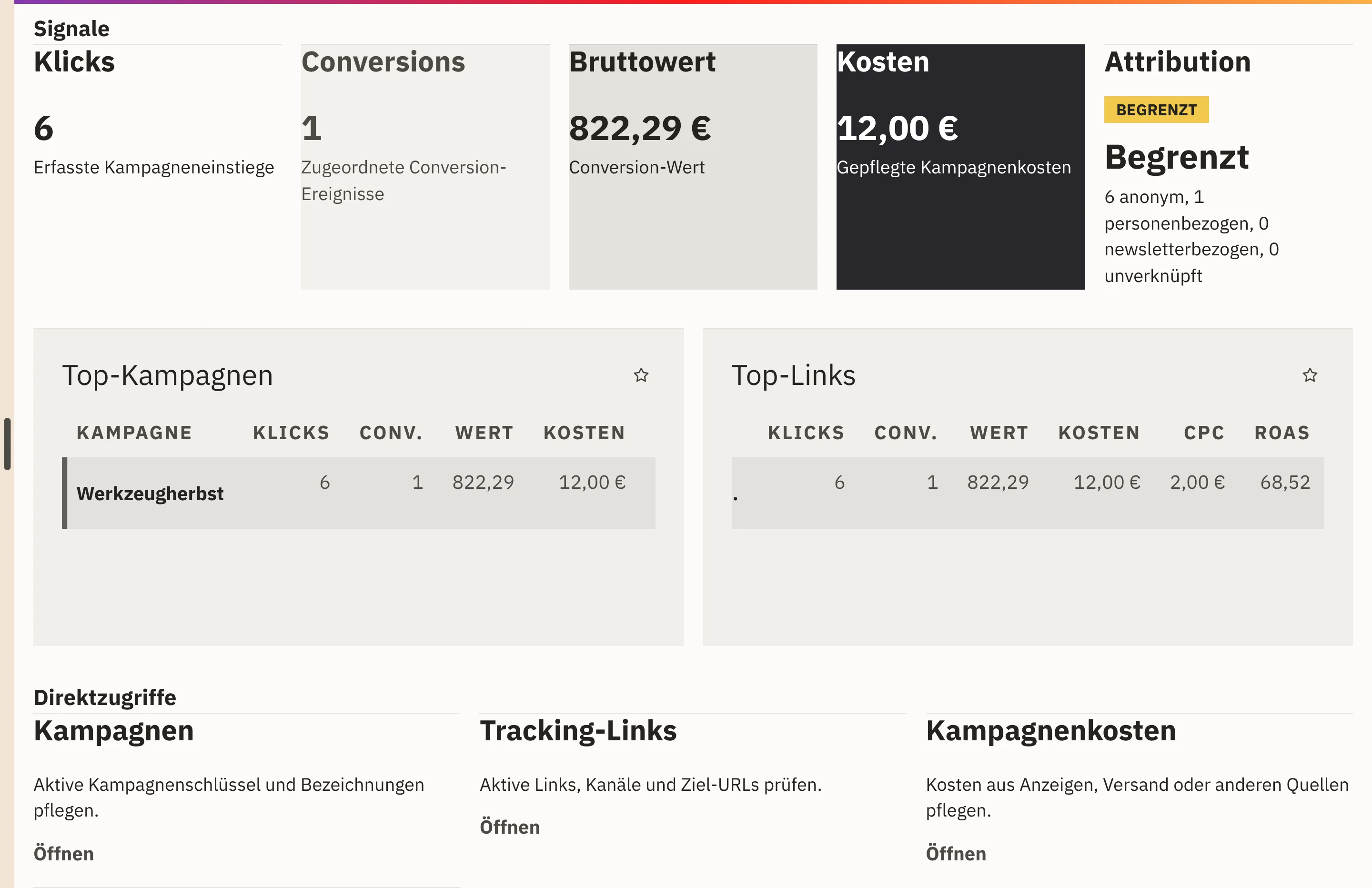
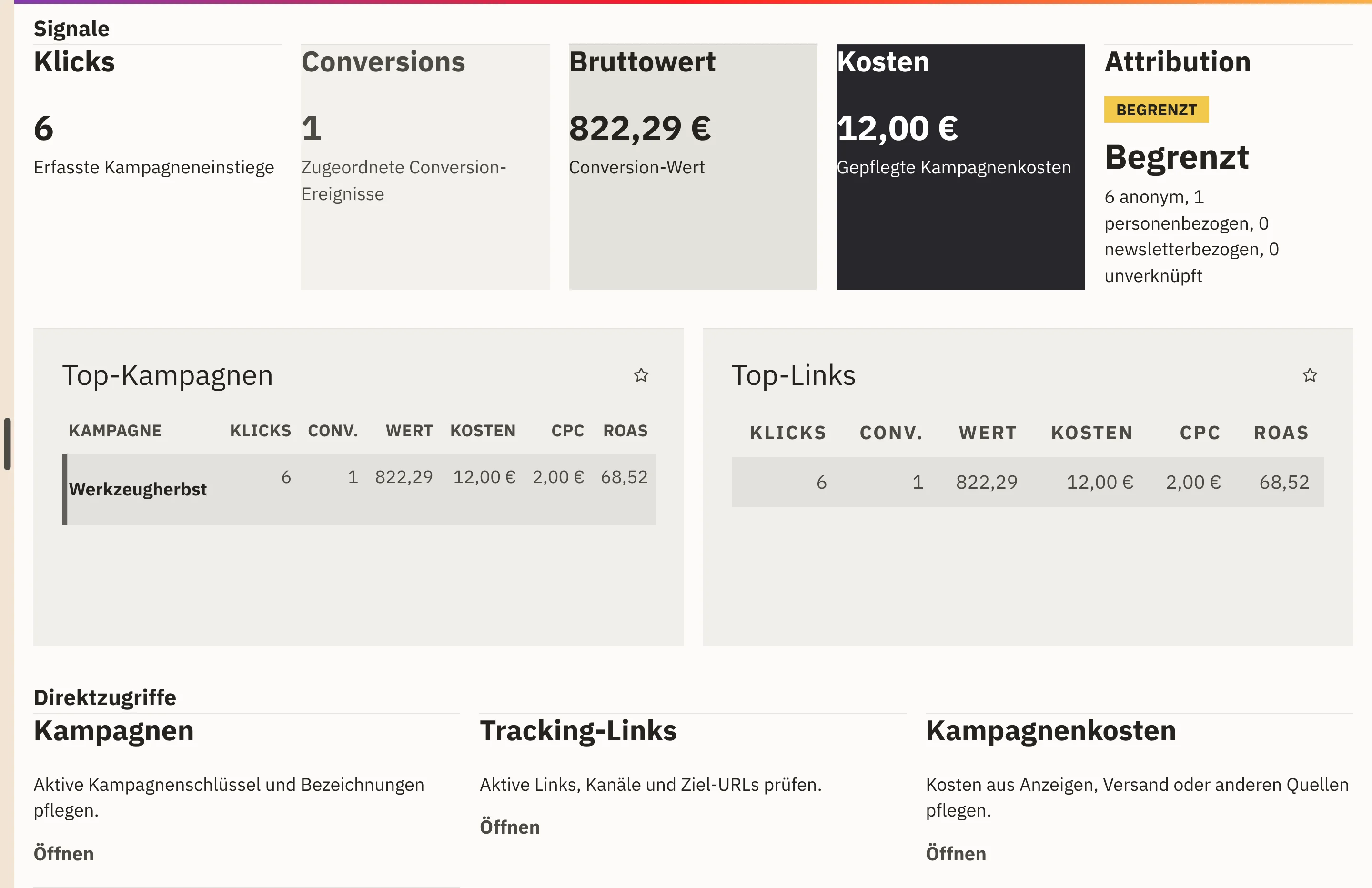
In the marketing cockpit, you see clicks, conversions, gross value and costs of your campaigns.
Top campaigns and top links show which promotions have the greatest effect.
Under CRM › Newsletter › Key figures, you see delivery, bounces and unsubscribes for the last 30 days.
In the chat section of the CRM dashboard, you see chats by day, hour and page and align your availability accordingly.
Clicks, attributed conversions, gross value and recorded costs, per campaign with cost per click and ROAS.
How many events are anonymous, linked to a person, linked to a newsletter or unlinked.
Active subscribers, net growth, delivery, bounce, complaint and unsubscribe rates, plus blocked recipients.
A reputation score summarises the current signals of your delivery.
Total chats, first response, missed chats, abandoned starts and escalations.
Accepted chats and response speed per team member.
For the website and campaigns, Workspace stores no IP addresses and no browser fingerprints. It assigns orders to a promotion via the basket, without any visitor profile.
Workspace counts chat starts by page path and does not store appended parameters. Reports relating to individuals remain bound to permissions.
Lists, campaigns and mailings supply the data for your newsletter key figures.
View newslettersYour team answers website chats in the same system in which the reports are produced.
View customer chatOrders from your shop flow into the marketing cockpit as conversions.
View the online shopYou record costs from ads, mailings or other sources for each campaign. From these, the cockpit calculates cost per click and ROAS.
The newsletter key figures show sending and delivery. The marketing cockpit shows which links were clicked and which orders can be attributed to a campaign.
Attributing orders via the basket works without a cookie and without a visitor identifier. You use the anonymous analysis of tracking links with consent.
We give you the price in an offer, because it depends on the scope, such as the areas used and the storage. We will publish fixed prices once they are set.
In a demo, we show you the marketing cockpit, newsletter key figures and chat reports in Workspace.