Your shop right now
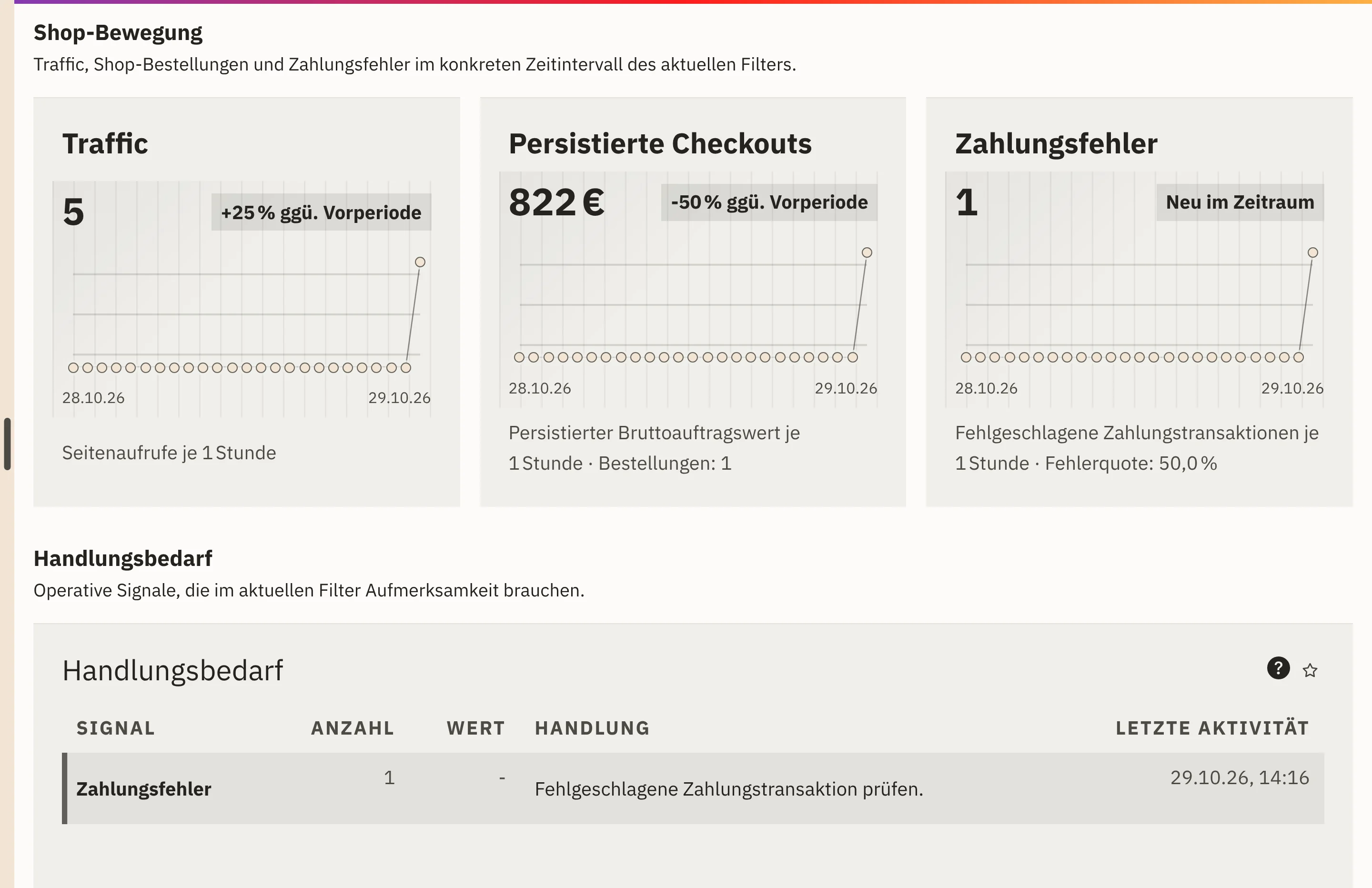
Page views, active baskets, orders and payment errors appear as near-real-time signals. If you wish, the view refreshes every few seconds.

Features · Reports
Shop-Puls shows you what is happening in your online shop right now: page views, baskets, orders and payments. Under Retail › Reports, you analyse revenue, margin, payments, order processing and returns over a period of your choice.
Page views, active baskets, orders and payment errors appear as near-real-time signals. If you wish, the view refreshes every few seconds.
You compare any key figure with the previous period or the same period last year and see the variance as a percentage.
Shop-Puls collects abandoned baskets, open checkout steps and failed payments under Action required, each with the next step.
Revenue, cost of goods and contribution margin show what a period brings in. If a purchase price rises later, the margin on past sales stays as it was.
You open Shop-Puls and select the period, site and sales channel.
For trends over several weeks, you open a report under Retail › Reports, showing the last 30 days by default.
You compare the period with the previous period or the same period last year.
Your team deals with conspicuous orders, payments and returns in the relevant worklist.
Page views, active and abandoned baskets, orders placed and payment errors, plus top pages and top products.
Gross revenue, average order value and orders per period. In the dashboard, revenue is shown next to your target.
Revenue, cost of goods, contribution margin and margin per period.
The share of failed payments and the return rate, plus open cases as a worklist.
Open orders and the average time until dispatch.
How many retail documents were sent and delivered, broken down by recipient domain.
All values come from baskets, orders, payment attempts and products in the same system. The report does not add up amounts in different currencies, so every total remains traceable.
Shop-Puls works with aggregated signals. It does not show individual visitors, sessions or IP addresses.
Your shop feeds baskets, orders and payments straight into Shop-Puls.
View the online shopWith Shopcloud, you run your online shop on the same data basis as your reports.
View ShopcloudThe cockpit brings together signals from sales, retail, warehouse and purchasing as traffic lights.
View overviewNear real time. You choose a time window from the last 30 minutes to the last 90 days and, if you wish, have the view refresh automatically, for example every 15 seconds.
Yes. You can compare every report with the previous period or the same period last year.
Yes. In Shop-Puls, you narrow down by site and sales channel; in the retail dashboard, by sales channel and customer group.
We give you the price in an offer, because it depends on the scope, such as the areas used and the storage. We will publish fixed prices once they are set.
In a demo, we show you Shop-Puls and retail reports in Workspace. Together, we work out which key figures your team wants to see every day.