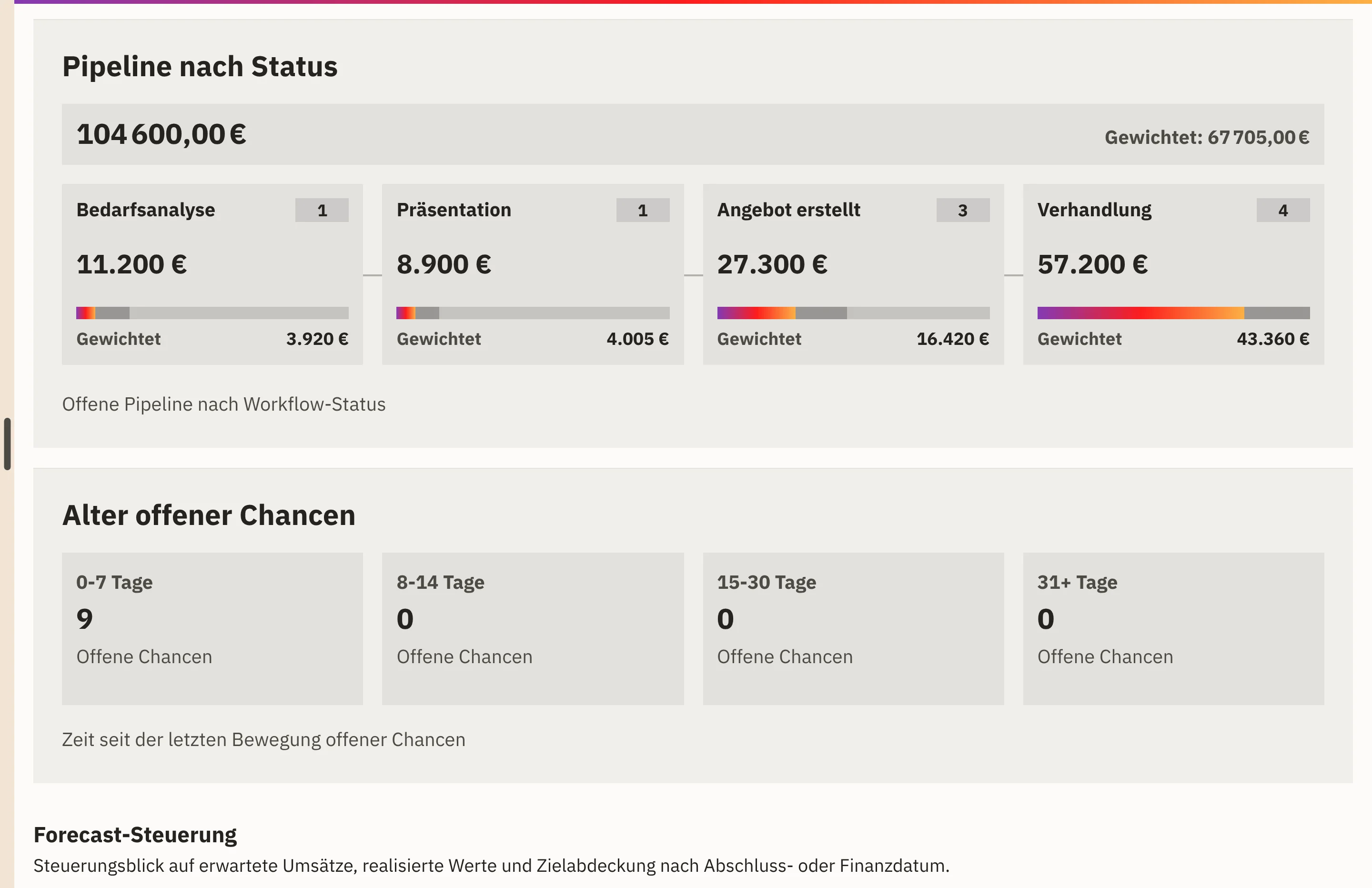
Pipeline with weighting
Every open opportunity counts with its probability of closing, so alongside the pipeline value you also see the weighted revenue.

Features · Reports
The CRM dashboard shows which opportunities are open, what value they hold weighted by probability of closing and where your team stands against its revenue target. Four reports under CRM › Reports add a review of a period of your choice.
Included in: Workspace
Every open opportunity counts with its probability of closing, so alongside the pipeline value you also see the weighted revenue.
Committed and optimistic forecasts appear month by month next to actual invoiced revenue.
With revenue targets maintained, target coverage shows how pipeline, forecast and actuals measure up against the target.
Weighted pipeline as well as open and stalled opportunities per responsible person show where a joint look is worthwhile.
You open the CRM dashboard and narrow down by period, responsible person, team or region.
Pipeline by status and the age of open opportunities show which opportunities need a next step.
For a review, you open one of the four reports and compare with the previous period or the previous year.
Your team opens conspicuous opportunities or targets and clears up the cause directly in the record.
Pipeline value, weighted pipeline and the distribution by status, from qualification to negotiation.
Committed and optimistic forecasts, actual invoiced revenue and the coverage of your revenue targets.
Win rate, won and lost opportunities, cycle time and loss reasons.
Pipeline, activities and closed deals per responsible person.
How long open opportunities have not moved, in bands from up to 7 days to more than 30 days.
Quotations by status and the share of open opportunities that already have a quotation.
The reports use the amount, stage, close date and owner of your opportunities, as well as the activities your team records. If targets or close dates are missing, Workspace does not estimate any values.
Monetary values appear in your workspace’s base currency. The reports do not change any data; your team makes corrections directly on the opportunity.
Opportunities, quotations and activities arise from working with your customers.
View customers and contactsThe Workspace area for leads, opportunities and quotations supplies the data for pipeline and forecast.
View sales and customersThe cockpit brings together signals from sales, retail, warehouse and purchasing as traffic lights.
View overviewPipeline & opportunities, forecast & targets, deal quality and team performance. You can narrow every report down to one person or one team.
Yes. You can compare every report with the previous period or the same period last year.
Monthly revenue targets. As soon as they are maintained, Workspace compares pipeline, forecast and actual invoiced revenue with the target.
We give you the price in an offer, because it depends on the scope, such as the areas used and the storage. We will publish fixed prices once they are set.
In a demo, we show you pipeline, forecast and target coverage in Workspace. Bring along the key figure your sales team discusses every week.