Clear who decides
Roles and conditions govern who may trigger a transition. Only the permitted steps are offered.

Features · Organisation & collaboration
You define once who approves what and what happens next. Workspace presents the decision to the responsible person, offers only the steps that are currently permitted and records every decision. That way, the case keeps moving, even when things are busy.
Included in: Workspace
Roles and conditions govern who may trigger a transition. Only the permitted steps are offered.
Every step is recorded. If a decision needs a justification, a form asks for it right there.
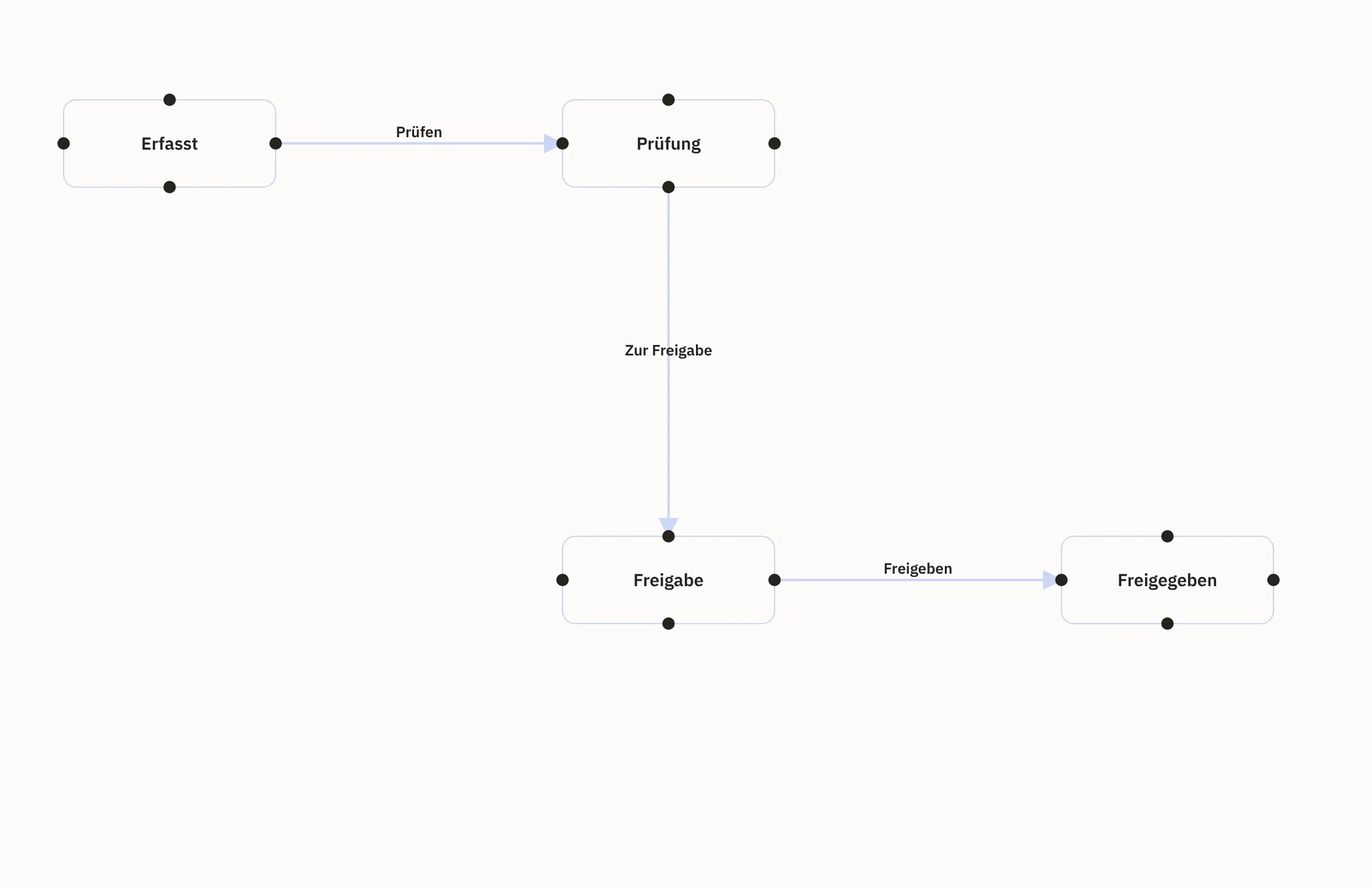
In the graphical designer, your team sees the workflow as a diagram. Everyone can see at a glance how it is intended.
After a transition, a notification goes out or the next step starts. If an action fails, it remains visible.
Together with us, you define which steps a case goes through, who approves which step and what follows.
In the graphical designer, you see the workflow as a diagram of states and transitions.
Your team works on the case. Only the permitted steps are offered, and where a decision needs details, a form asks for them.
Every step is recorded. Then a notification goes out or the next step starts.
A product team requests publication. The review approves, rejects with a reason or withdraws a publication. Only approved content goes into the shop.
View product dataIf a price deviates from the agreed price by more than the defined amount, the order only goes out after a review. The buyer sees which line item needs clarifying.
View purchasing and ordersTeam leads see their employees’ open requests in one place and approve them.
View time and leaveFor popular rooms or equipment, a booking only becomes valid once a responsible person accepts it.
View appointments and availabilityYou maintain states, transitions and actions as a diagram. Your team sees at a glance how a workflow is intended.
Roles and conditions govern who may trigger a transition. Everyone else does not even see the step.
If a decision needs a justification or further details, Workspace asks for them at exactly that point.
Every workflow has versions. Once a version is locked, it stays as it is.
Supplied workflows keep their tested logic. You can adjust the layout in the diagram to suit your view; for your own logic, you create a separate workflow.
A transition triggers a notification or calls an approved webhook. The call only starts once the new status has been saved.
If an action fails, Workspace retries it according to your rule. Persistent errors end up in a separate list, and once the issue is fixed, you repeat the step specifically.
Those responsible see the notice on the dashboard and by email if they wish. You adapt the texts for each language, and every employee chooses how often they are notified.
An AI agent plans several work steps and carries them out with the tools set up for the purpose. Together we define which steps require approval and when an employee takes over.
You also choose the model: it runs on our infrastructure or on your own, with a budget you set. If the budget runs out, the agent only continues via another route you have permitted; if there is none, it carries out no further steps.
You maintain workflows in the graphical designer. We handle the initial set-up with you, because that is where it is decided who decides what.
Yes. You create a new version. Earlier versions are retained, and you can always see which one applies.
Workspace retries it according to your rule. If that does not succeed, the case ends up in a separate list, from which you repeat it specifically once the issue is fixed.
Yes. Status changes run through the workflow, so every step remains traceable with person and time.
We give you the price in an offer, because it depends on the scope, for example the areas used and the storage. We will publish fixed prices as soon as they are set.
Name an approval that gets stuck in the inbox today. Together we map out the workflow and show you in a demo how it runs in Workspace with fixed steps.