Damage documented at the dock
With Proofara Receive, you record photos, markings and the driver’s signature. Later findings are added as a supplement.

Features · Purchasing & warehouse
The pallet is at the loading dock, the driver is waiting. This is the moment that decides whether a complaint will succeed later. With Workspace, your team checks the delivery against the purchase order and books only when quantity, storage location and serial numbers are correct. With our app Proofara Receive, you photograph damage right at the dock and have the driver sign.
Included in: Workspace · Proofara Receive
With Proofara Receive, you record photos, markings and the driver’s signature. Later findings are added as a supplement.
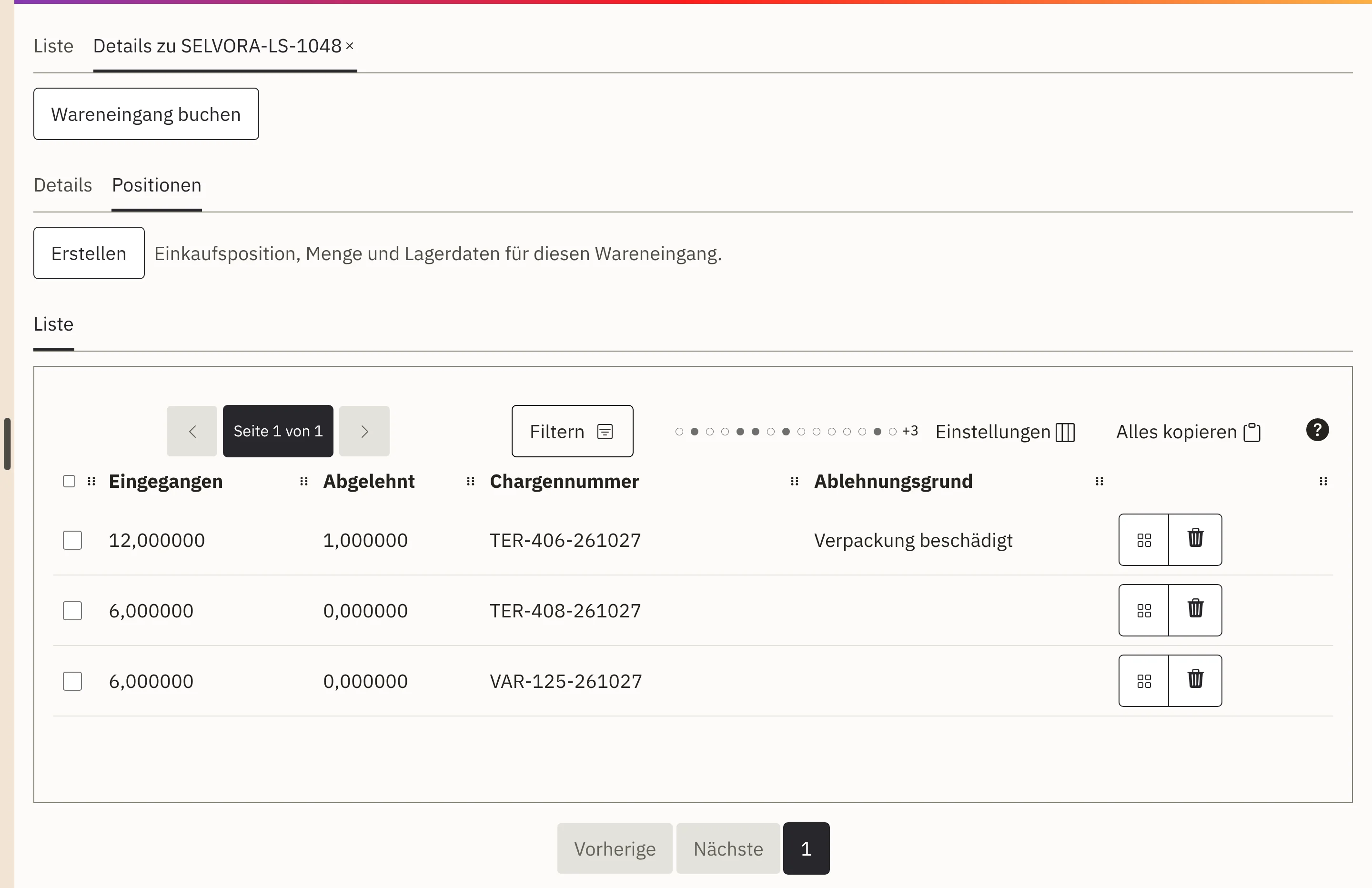
Shortfall, over-delivery or damage are recorded with a reason on the line item. For the supplier, you create a damage report with the relevant photos.
Goods under inspection are held in quarantine and do not count as available stock. Nothing is booked until approval.
Every accepted unit needs its number, for batches the batch and, if required, the expiry date. If anything is missing, nothing is booked.
The delivery arrives. Your team selects the purchase order and the target warehouse and enters the delivery note number.
For each line item, you record the quantity received, accepted and rejected as well as goods in quarantine, each with a reason.
In the event of damage, you document the condition with Proofara Receive: photos, markings and the driver’s signature.
You approve the goods receipt and book it. Only then are the goods in stock and in the warehouse journal.
The line items come from the purchase order. Your team sees immediately what was ordered and what has arrived.
Before booking, Workspace checks whether the target storage location can still take the quantity, the weight or the pallet.
Check first, then approve, then book. Booked line items are protected against later changes, and the warehouse journal shows the receipt booking.
Proofara Receive is our app for the loading dock. You scan the barcode or QR code on the delivery note, check every pallet, crate or carton and photograph the findings. Overview photos show the context, detail photos the exact spot. Your markings are made on a working copy, and the original photo remains unchanged.
You then record whether the delivery was accepted, accepted with reservations or rejected, and the driver confirms with their signature. If you only discover damage on opening, you add a further inspection, and the original record remains visible. For the supplier or carrier, you create a damage report with exactly the photos they need.
The app also works without a network connection. You start on one Android device and expand to several devices and locations as needed, with end-to-end encrypted synchronisation. If required, we connect Proofara Receive to Workspace or your merchandise management system.
For the loading dock without a company system: you check and document every delivery on the Android device, even without a network connection, and pass on the report and damage report as a file.
View Proofara ReceiveThe app checks at the dock, Workspace books the receipt against the purchase order. We set up the connection for you.
Discuss the integrationYour team checks the receipt directly in Workspace: against the purchase order, with discrepancies, quarantine and approval before booking.
Purchasing and warehouse in WorkspaceThe purchase order at the agreed price is the basis for the check on receipt.
View purchasingAfter booking, the goods are in their location, ready for reservation and shipping.
View warehouseCapture photos and details right where the work happens.
View mobile data captureThe whole journey from the order with the supplier to the parcel for your customer.
View areaYes. You book them into quarantine. There they do not count as available stock until your team approves them.
One number per line or several separated by commas. Workspace checks that every accepted unit has exactly one number and assigns it to the manufacturer’s or supplier’s number range.
You record quantities, discrepancies, quarantine and serial numbers in Workspace. Proofara Receive comes in when you want to document damage with photos and the driver’s signature.
During implementation, we set up warehouses, storage locations and your goods receipt with you and transfer your current stock as opening stock.
Tell us how deliveries arrive and are checked at your company today. In a demo, we show you how this becomes a checked, documented goods receipt.