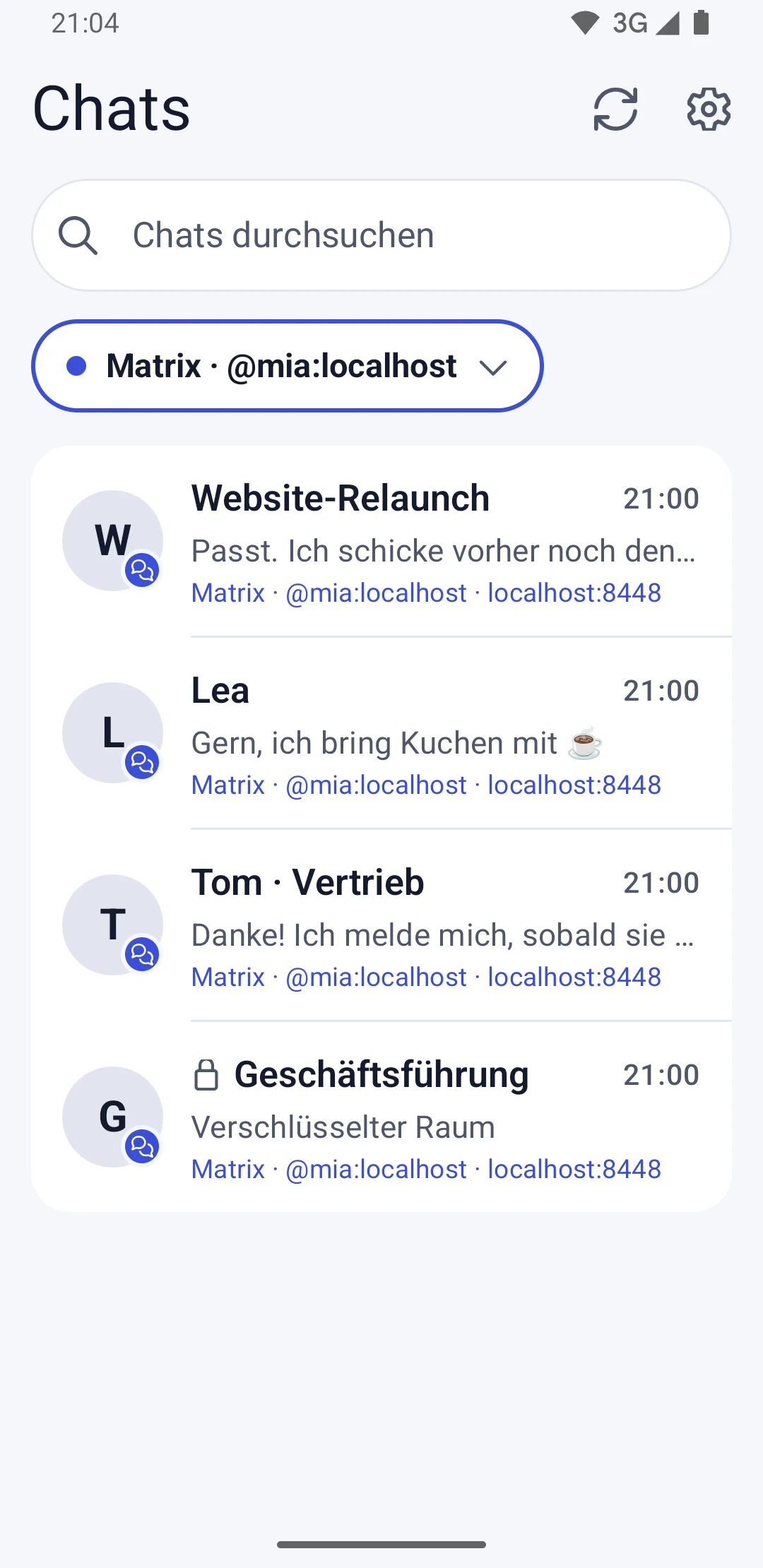

One list for all your chats
All connected accounts appear in one shared list. You can filter by service or by a single account.

Products · Apps
schukai Chat brings your Matrix rooms and the website chats from Workspace into one tidy list. You connect directly to your own Matrix server, and every reply goes out through exactly the account the chat belongs to. The Android app is coming soon: be there from day one.
All connected accounts appear in one shared list. You can filter by service or by a single account.
Replies go out through the account the chat belongs to – even while you’re filtering the list.
Every message shows whether the server has accepted it. After a dropped connection, nothing gets quietly sent twice.
The app stores loaded messages and drafts encrypted on your device.
All connected accounts appear in one shared list. Filter by all accounts, by service or by a single account.
As many Matrix accounts and Workspace connections as you like, even several on the same server. For every chat, you can see which account and server it belongs to.
Connect Workspace via QR code, and the conversations from your website land in the same list as your Matrix rooms.
Every message shows whether the server has accepted it, whether it failed or whether delivery is unclear. After a dropped connection, nothing gets quietly sent twice.
Loaded messages and drafts stay stored encrypted on your device. You load older Matrix messages step by step.
Three styles to choose from: Klar, schukai Warm and Type. Plus light, dark or matching your system.
Install schukai Chat on your Android device.
Sign in with your Matrix account, directly on your own server.
For the website chats, scan the QR code in Workspace and confirm the connection in your browser.
From now on, you read and answer all your chats in one list, each through the right account.
You connect Matrix directly to your own server. You don’t need a Workspace account for that.
Replies always go out through the account the chat belongs to, even while you’re filtering the list.
The app stores sessions, history and drafts encrypted on the device. It never sends plain text into encrypted Matrix rooms.
schukai Chat follows the design of schukai Time Tracking, the clock-in app available on Google Play.
Website visitors write in the chat window on your website, and your team replies in Workspace or on the go in schukai Chat.
View customer chatThe sister app for working hours: clock in, take a break and clock out with a tap, connected to Workspace if you like.
View Time TrackingThe Android app is in the works. Sign up and we’ll let you know as soon as it’s on Google Play.
No. For Matrix, you connect directly to your own server. You only connect Workspace if you also want the website chats in the app.
Yes. As many Matrix accounts and Workspace connections as you like, even several on the same server.
Via QR code: scan it with the app and confirm the connection in your browser.
In the privacy policy for schukai Chat. Your chats are stored encrypted on your device; schukai doesn’t run its own chat server for this.
Drop us a quick line and we’ll get back to you as soon as schukai Chat is on Google Play. Want to set up customer chat for your website with Workspace? We’ll help you with that, too.