Answers while the customer is there
New conversations appear immediately in the responsible group’s workspace. Whoever is signed in sees them and answers.

Features · Communication
A chat window on your website or in your online shop, a workspace for your team in Workspace. Whoever is available answers, and whoever takes over a conversation sees the full history. If a customer asks about the right product, your team sends the right items from your shop in just a few clicks.
Included in: Workspace · Shopcloud · Workspace Customer Service
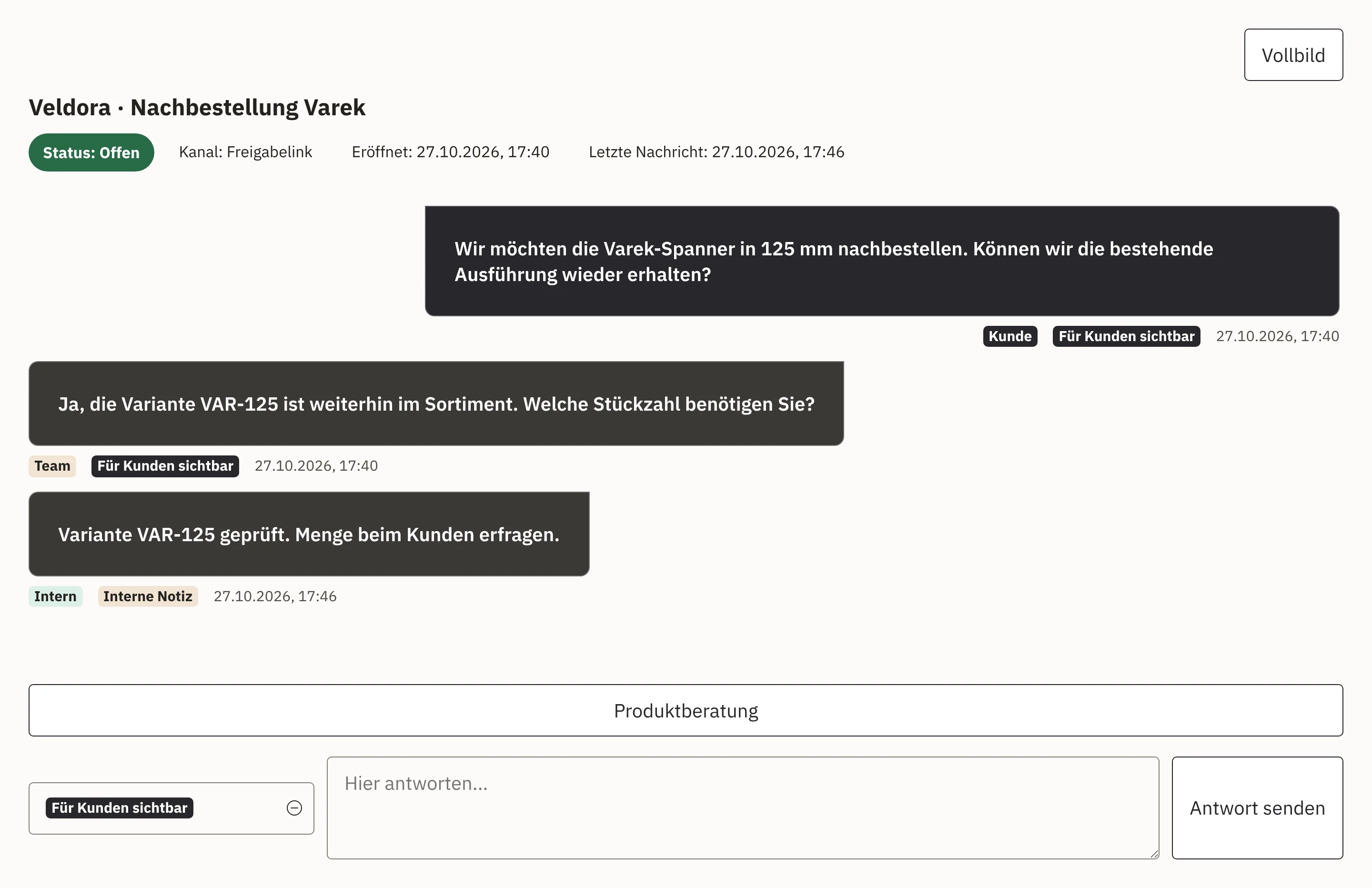
New conversations appear immediately in the responsible group’s workspace. Whoever is signed in sees them and answers.
Your team searches by name, item number or attribute and sends up to five products. Workspace checks that each of them is published in the shop.
Ownership, handover notes and the full conversation history stay with the chat. Your colleague picks up exactly where the conversation left off.
If you wish, your website only shows the chat window when someone is available. If no answer comes, the customer receives a link to the contact form.
Your customer writes in the chat window on your website or via a chat link you send them.
The conversation appears in the responsible group’s workspace. Whoever is signed in sees it immediately and answers.
For product questions, your team searches using guides and the product search and sends matching items with a link to your shop.
Once the question is resolved, the chat is closed. If a colleague is needed, your team hands it over with a short note.
Open conversations appear in a work list. Your team can open several chats at once and answer them side by side.
You maintain reply snippets and structured follow-up questions as a guide. Your team adds them to the reply and adapts them.
During the chat, your team searches the internal wiki and finds the answer a colleague wrote down long ago.
If a customer asks about a successor, an alternative, accessories or a particular version, your team opens product advice in the chat. It searches by name, item number or attribute, selects up to five products and classifies them, for example as an alternative or accessory. The customer receives the items with a link to the product page in your shop.
When sending, Workspace checks that each product is published in the shop, so every link leads to a real product page. If you wish, a local AI model suggests search terms, attributes and follow-up questions, and your team decides what to send.
We embed the chat window using a public key. It only runs on the websites you have approved and is immediately connected to your shop and your team in Workspace. If an agency or a website changes, you replace the key.
If a question needs more than one conversation, it becomes a case with an owner and a follow-up date.
View enquiries and casesCustomer service answers recurring delivery questions, so your team has time for advice.
View Workspace Customer ServiceYour team records in the wiki what was resolved in the chat, ready for the next conversation.
View sharing knowledgeYour online shop and the chat access the same products.
View ShopcloudWe set up the chat in Workspace and embed the chat window in your website or online shop. Your team then works in the Workspace chat workspace.
If you wish, the chat window only appears when an employee is signed in. If a message does not receive a timely answer, the customer receives a link to your contact form.
The chat is part of Workspace. Conversations, customers, products and cases are all in the same system.
Yes. You maintain recurring answers and follow-up questions as guides, which your team uses in the chat and adapts.
We give you the price in an offer, because it depends on the scope, such as the areas used and storage. We will publish fixed prices as soon as they are set.
Tell us what questions your customers ask and who answers them. In a demo, you see the chat workspace with product advice and handover. We take care of set-up and embedding.